WebForms Update: Breeze Theme Compatibility
MageMe WebForms 3 is fully compatible with the Breeze frontend theme by Swissup. All form features — validation, conditional logic, file uploads, multi-step navigation, popups, and slideouts — work natively with Breeze’s lightweight JavaScript framework without RequireJS or KnockoutJS dependencies.
Exciting news for Magento 2 store owners using the Breeze theme! Our MageMe WebForms extension, already renowned for its user-friendly design and versatile form creation capabilities, is now fully compatible with the elegant and responsive Breeze theme. This integration amplifies your ability to craft custom forms, providing a seamless experience that aligns perfectly with the aesthetics and functionality of the Breeze theme.
Breeze Theme

The Breeze theme for Magento 2 is a cutting-edge frontend solution designed to optimize store performance and enhance user experience. It offers a blend of speed technologies, elegant design, and developer-friendly tools, ensuring both mobile and desktop users benefit from swift page loads and a modern interface.
Main Features:
- High Performance: Achieves a Google Page Speed Score of 98 for mobile, ensuring rapid page loads.
- Modern Design: Offers an elegant design with rounded shapes, contrasting forms, and the latest UI trends.
- Developer-Friendly: Allows easy integration of third-party extensions and is open-source.
- Mobile Optimization: Designed for a seamless experience across devices, including support for both LTR and RTL languages.
- Standalone Themes: Provides themes like Breeze Evolution and Breeze Blank that don't rely on Magento's default themes, ensuring unique and optimized designs.
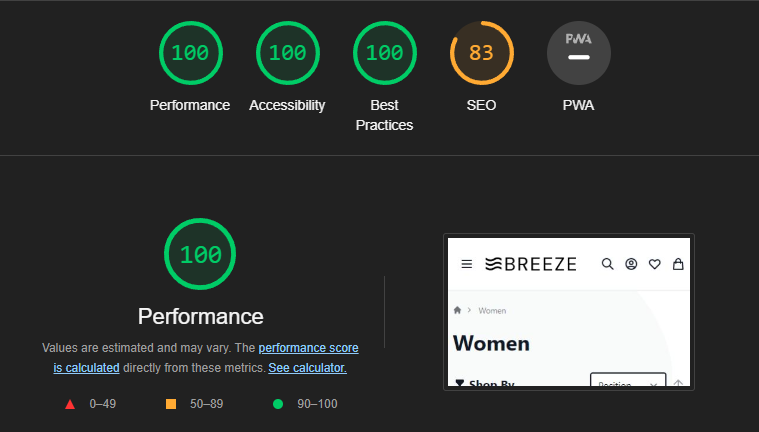
Full compatibility — multi-step forms, popups, slide-outs, and addons all work out of the box on Breeze.
Showcase: WebForms Enhancements for the Breeze Theme
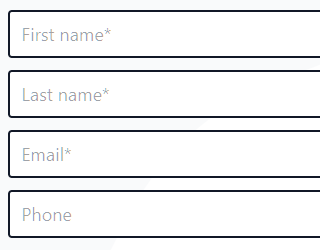
Core Functionality
Our commitment to simplifying the form creation process remains unwavering. With the integration of the Breeze theme, users can now fully utilize WebForms' comprehensive form-building tools within the Breeze environment. Crafting custom forms tailored to your specific needs on Breeze has never been this straightforward.
Online DemoMulti-step Forms
Complex forms can be daunting. Our multi-step forms, now harmonized with Breeze, allow you to break down intricate forms into manageable sections. Group related fields together, ensuring your customers can provide information without feeling overwhelmed.
Online Demo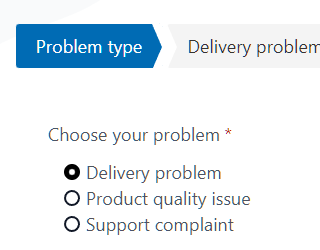
Popup Forms
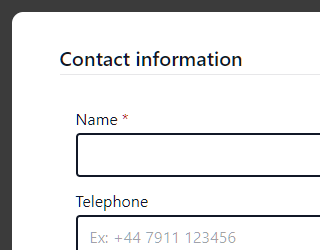
Engaging visitors at the right moment is crucial. With our popup forms now functional on Breeze, you can effectively capture leads based on various user actions or timings.
Online DemoSlide-out Forms
Slide-out forms are a subtle yet effective way to engage with your visitors. Positioned at the edge of a webpage, these forms slide out upon interaction, allowing users to quickly get in touch or share feedback without navigating away from their current page.

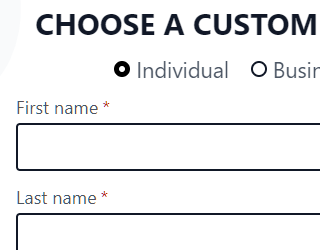
Customer Registration Form Add-on
The Customer Registration Form Add-on is designed to streamline the user registration process. Tailored to capture essential customer details, this add-on, now optimized for the Breeze theme, ensures a smooth and intuitive registration experience.
Online DemoProduct Request Form Add-on
For businesses that value customer input in their product offerings, the Product Request Form Add-on is a game-changer. This feature, now compatible with the Breeze theme, allows customers to request specific products or variations.

How to Install the Compatibility Module
Install from Zip File
Download the MageMe_WebFormzBreeze zip file from your account area My Downloads section. Make sure following folder is writeable:
app / code
Copy «app» folder to your Magento directory so that it merges with «app» folder of your site.
Execute commands:
php bin/magento module:enable MageMe_WebFormsBreeze
php bin/magento setup:upgrade
Install via Composer
Please make sure your Update and Support plan is active as the access to composer packages depends on it.
Execute the command:
composer require mageme/module-webforms-3-breeze
php bin/magento module:enable MageMe_WebFormsBreeze
php bin/magento setup:upgrade
Conclusion
At MageMe, we're committed to continuous improvement and ensuring that our tools and plugins are up-to-date with the latest trends and technologies in the Magento ecosystem. We believe this update will provide significant value to our users, and we're excited to hear your feedback!
Stay tuned for more updates and enhancements in the future. As always, thank you for your continued support!
Key Takeaways
- Full Breeze compatibility — all WebForms features work with Breeze’s lightweight JS framework.
- No RequireJS dependency — WebForms uses Breeze-native component initialization.
- All form types supported — inline forms, popups, slideouts, and multi-step forms render correctly on Breeze.
- Automatic detection — WebForms detects the Breeze theme and loads appropriate JavaScript automatically.
Frequently Asked Questions
Breeze is a free, open-source frontend theme designed for Magento 2. It focuses on boosting store performance by reducing JS stack complexity and offers a range of modern features, such as a Single Page Application (SPA) experience and optimized CSS delivery.
Recognizing the growing popularity and the potential of the Breeze theme in the Magento community, we wanted to ensure that WebForms users could benefit from all the features of Breeze without any compatibility issues.
Absolutely! Our update ensures that all existing forms created using WebForms will work seamlessly when you switch to or integrate with the Breeze theme.
No major changes are required. Just ensure you have the latest version of WebForms installed to benefit from the Breeze compatibility module.
Our dedicated support team is always here to help. Please make sure your WebForms license support and update plan is active.
Using WebForms? Share Your Experience!