Magento 2 Product Inquiry Form Extension — B2B Group Access & CRM Integrations
 Magento 2.3, 2.4 · Community, Enterprise, Cloud
 Product Inquiry Form is a Magento 2 extension that adds an inquiry button to any catalog page — popup form auto-attaches SKU, product name, and current URL to every submission, so admins always know exactly what customer is asking about. Limit button visibility by customer group for B2B-only workflows, reply directly from admin panel, push submissions to Salesforce, HubSpot, Klaviyo, and four more CRMs. Open source, native Hyvä support. Part of WebForms Suite — from €189.
Screenshots
A quick glance at frontend and backend functions.
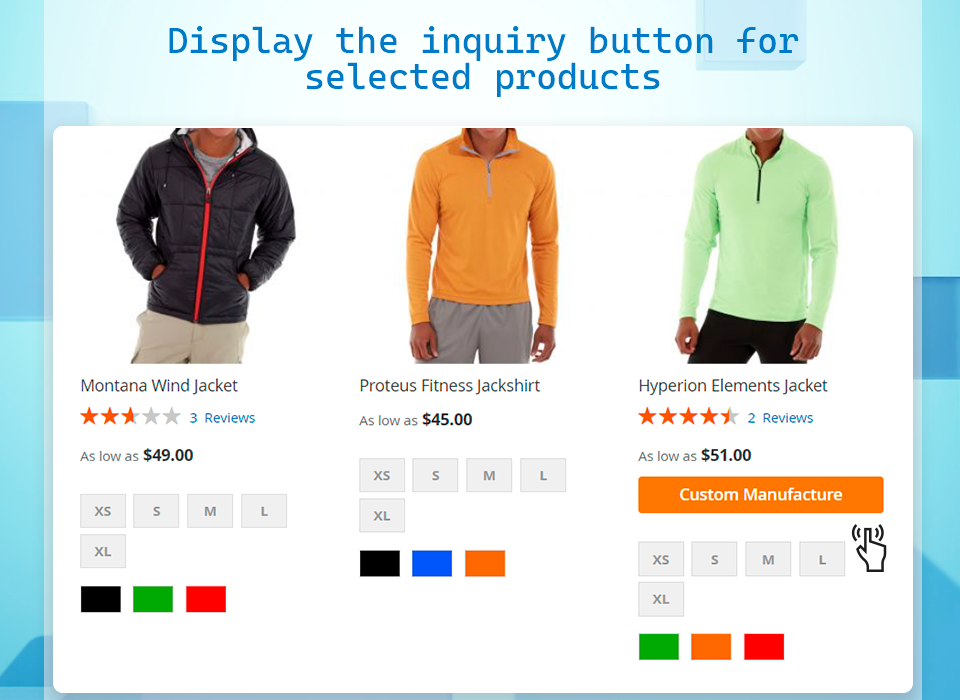
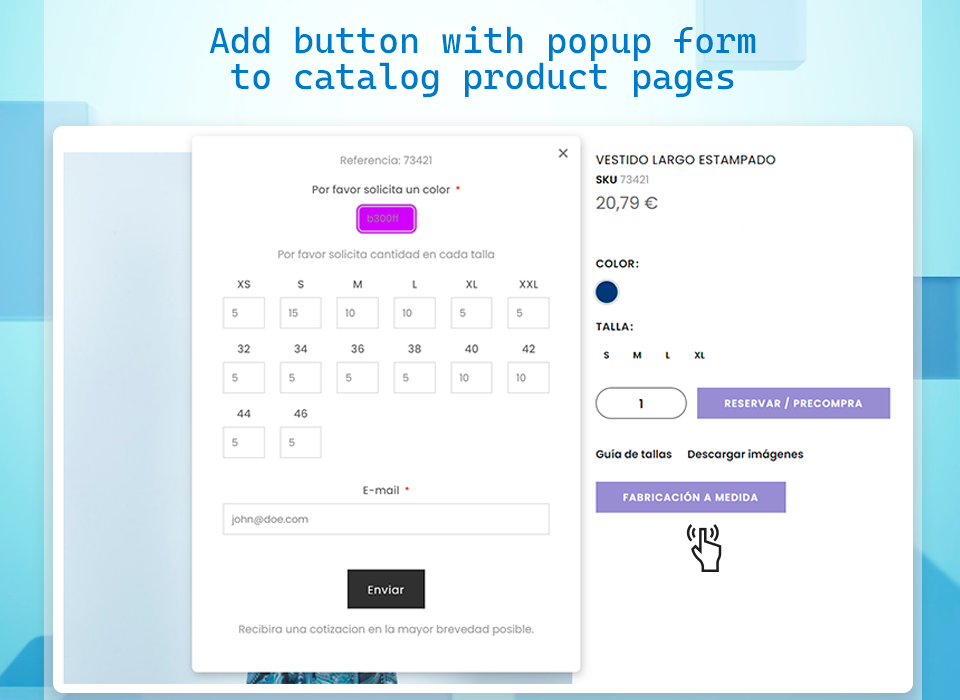
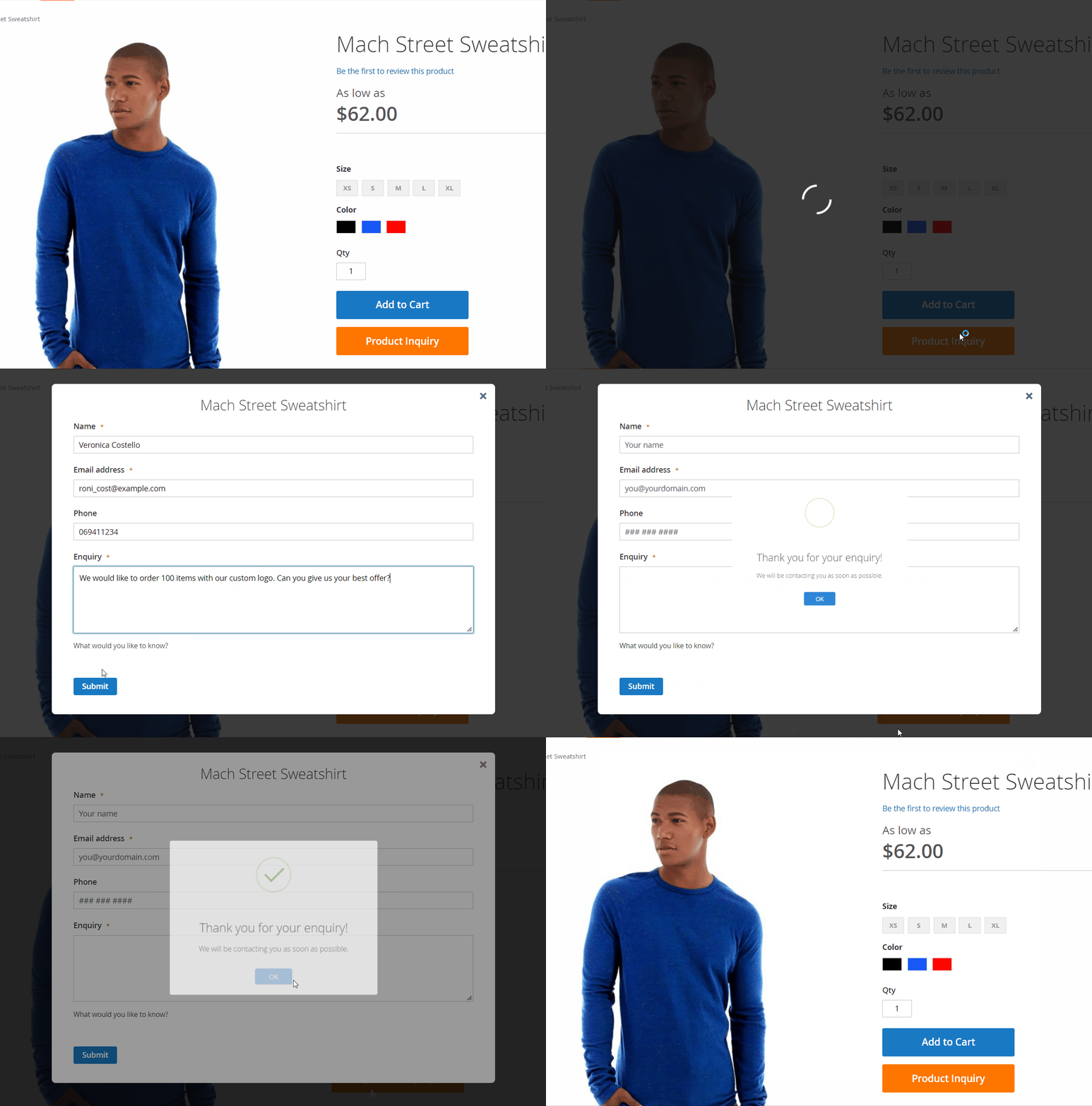
For Magento 2 store owners, having a clear channel for customers to submit product inquiries is essential. These interactions may encompass simple product questions, sample requests, or custom manufacture requests. Our form extension facilitates this communication by embedding custom contact forms on selected catalog pages of your online store, capturing currently viewed product information alongside the customer submission.
Key Features of the Inquiry Form Extension
- Craft a custom product request form
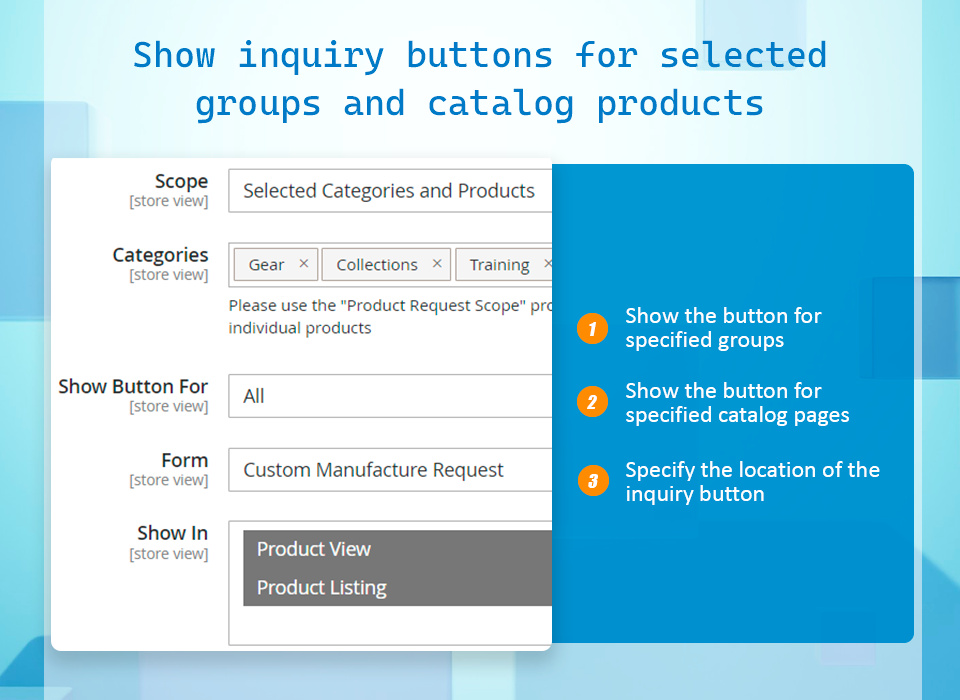
- Configure the inquiry button
- Embed the button on selected catalog pages
- Limit the button to specific customer groups
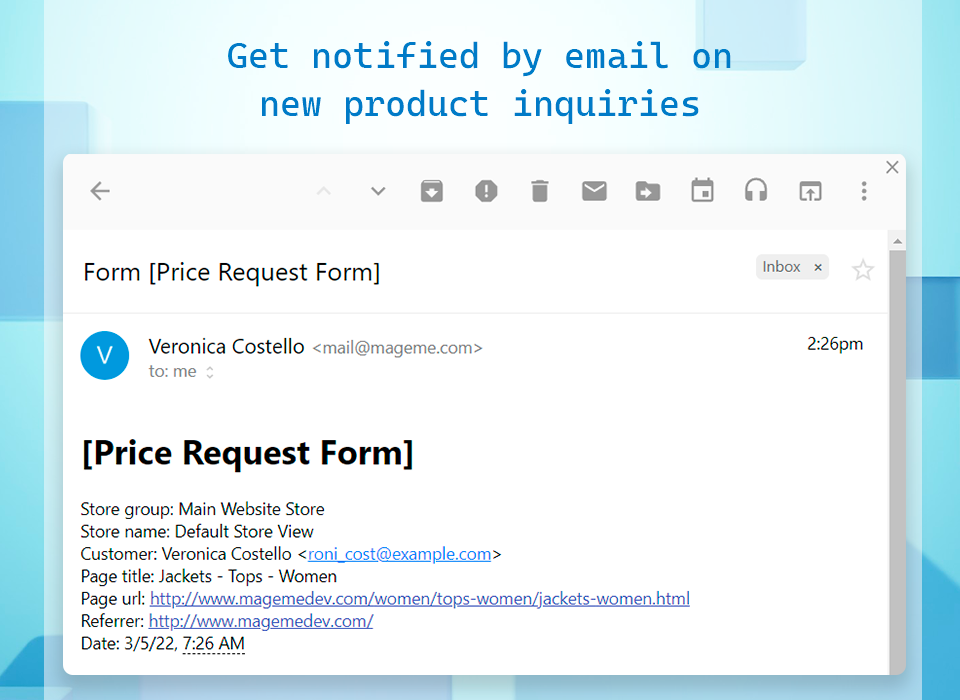
- Receive product inquiries by email
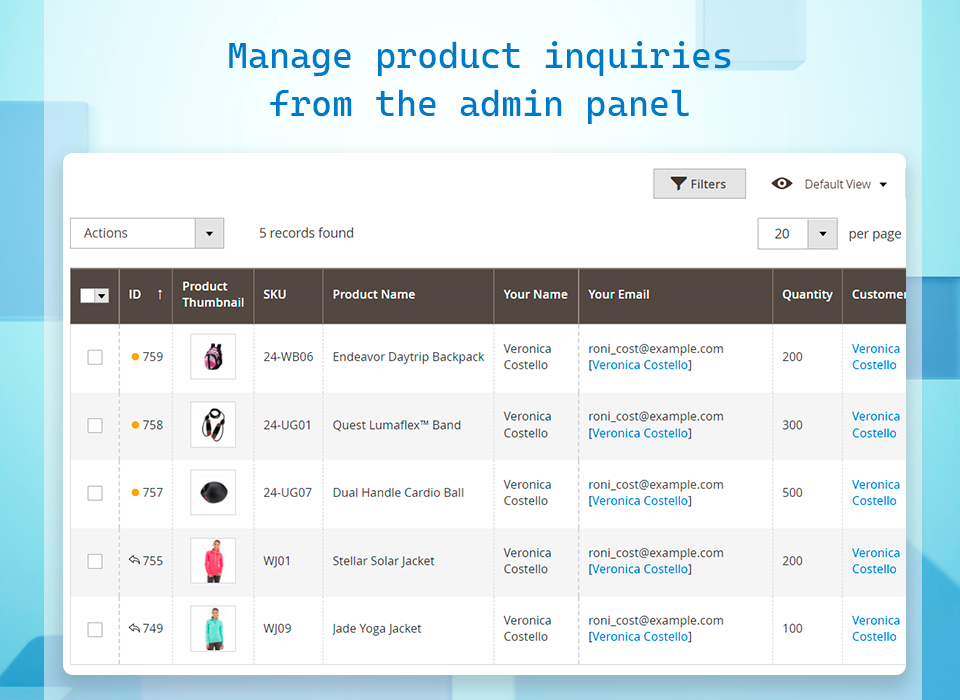
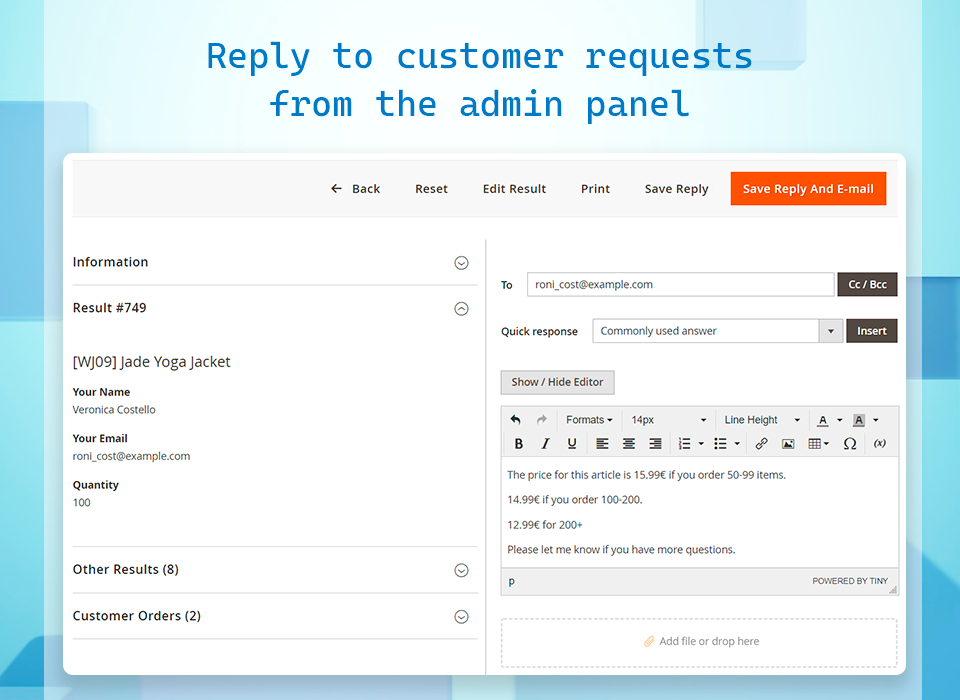
- Manage inquiries from the admin panel
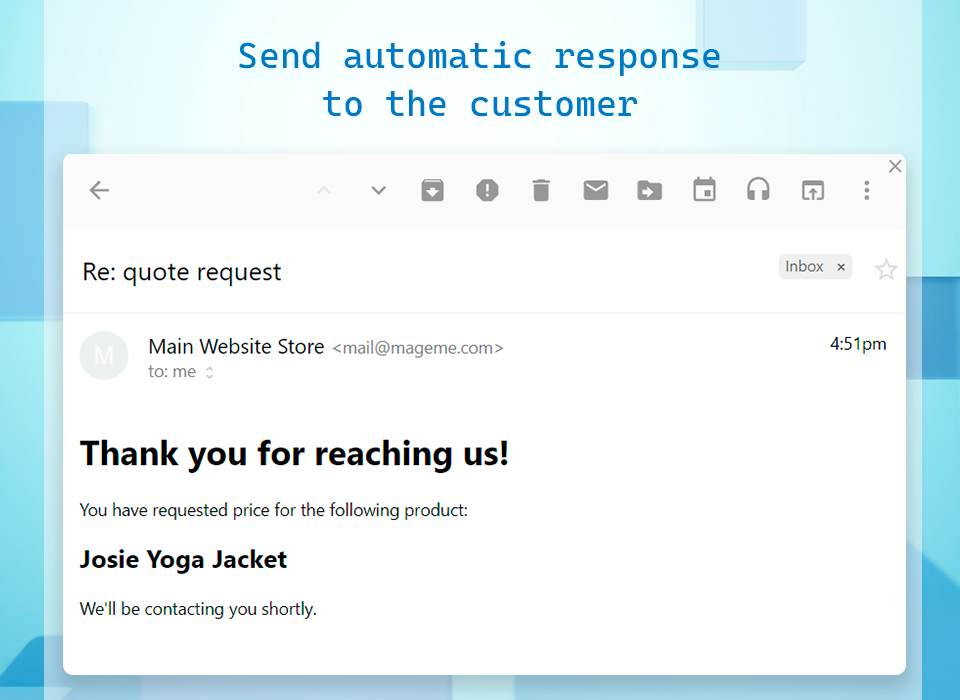
- Send the customer an automatic response
- Reply to customer inquiries from the admin panel
Product Inquiry Form Extension
Design the Form
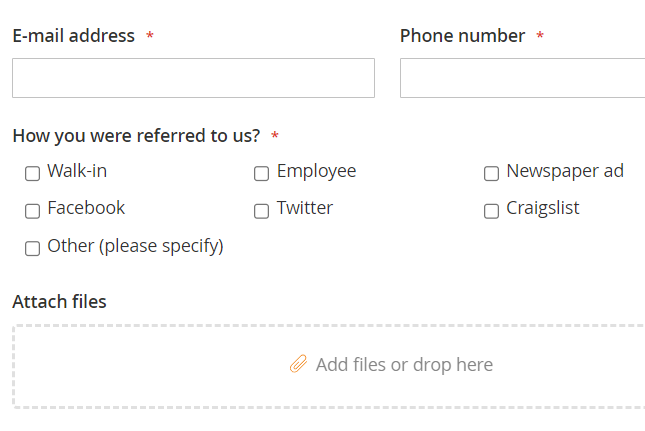
Leverage the variety of field types and configuration options to create a custom product inquiry form tailored to your online store.
- More than 27 field types
- Multi-column layouts
- Multi-step forms
- Fully responsive form templates
- Field dependency
Configure the Inquiry Button
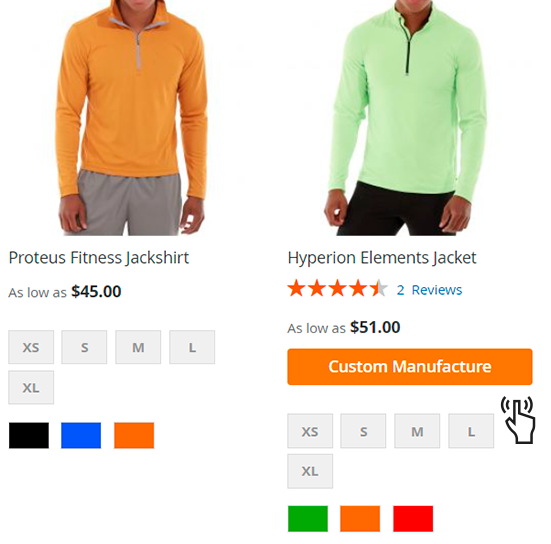
Set custom text and CSS classes for the inquiry button, and choose its placement with our intuitive CSS selector.
- Embed the button in selected catalog pages
- Display the button in product listings and view pages
- Set custom CSS for the form
- Set custom translatable text for the button
- Choose the placement of the button via the CSS selector
Adapt for B2B Customers
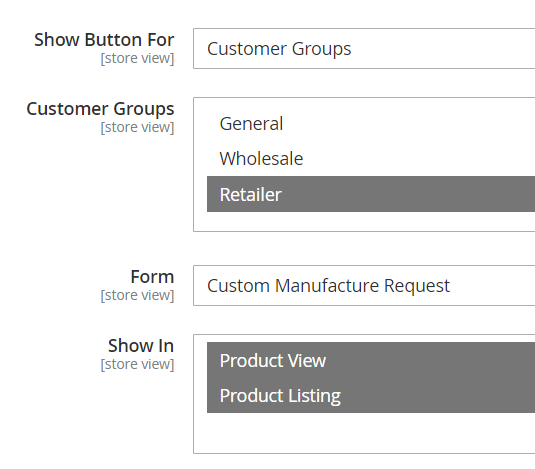
Select the customer groups that can access the product request form button. See how this extension fits into a broader Magento 2 B2B toolkit.
- Configure the extension for specific stores
- Grant access to the product request form to particular groups
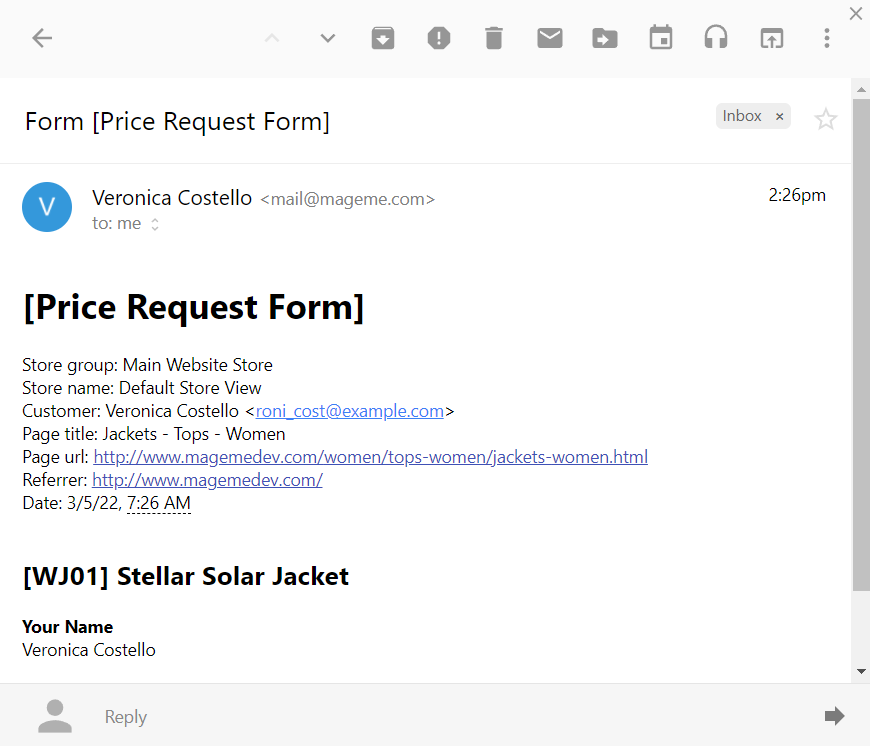
Email notifications
Receive a list of the product inquiries together with the customer submitted data directly to your email.
- Receive admin notifications for the inquiries
- Completely customize the email template
- Send automatic response emails to customers regarding their inquiries
Form Builder
Multiple Field Types
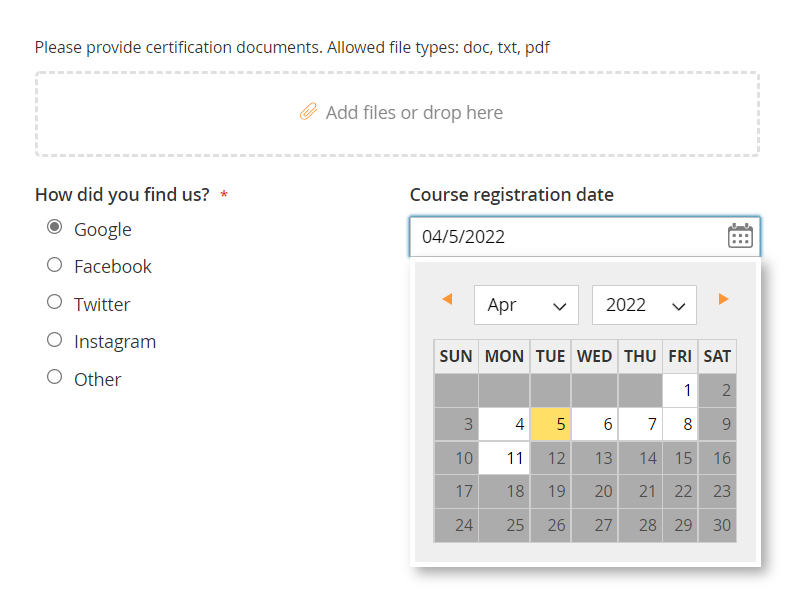
Our form extension includes multiple field types, ensuring you can collect all necessary information for your inquiries. For a general primer, read our guide to creating custom forms in Magento 2.
Input validation
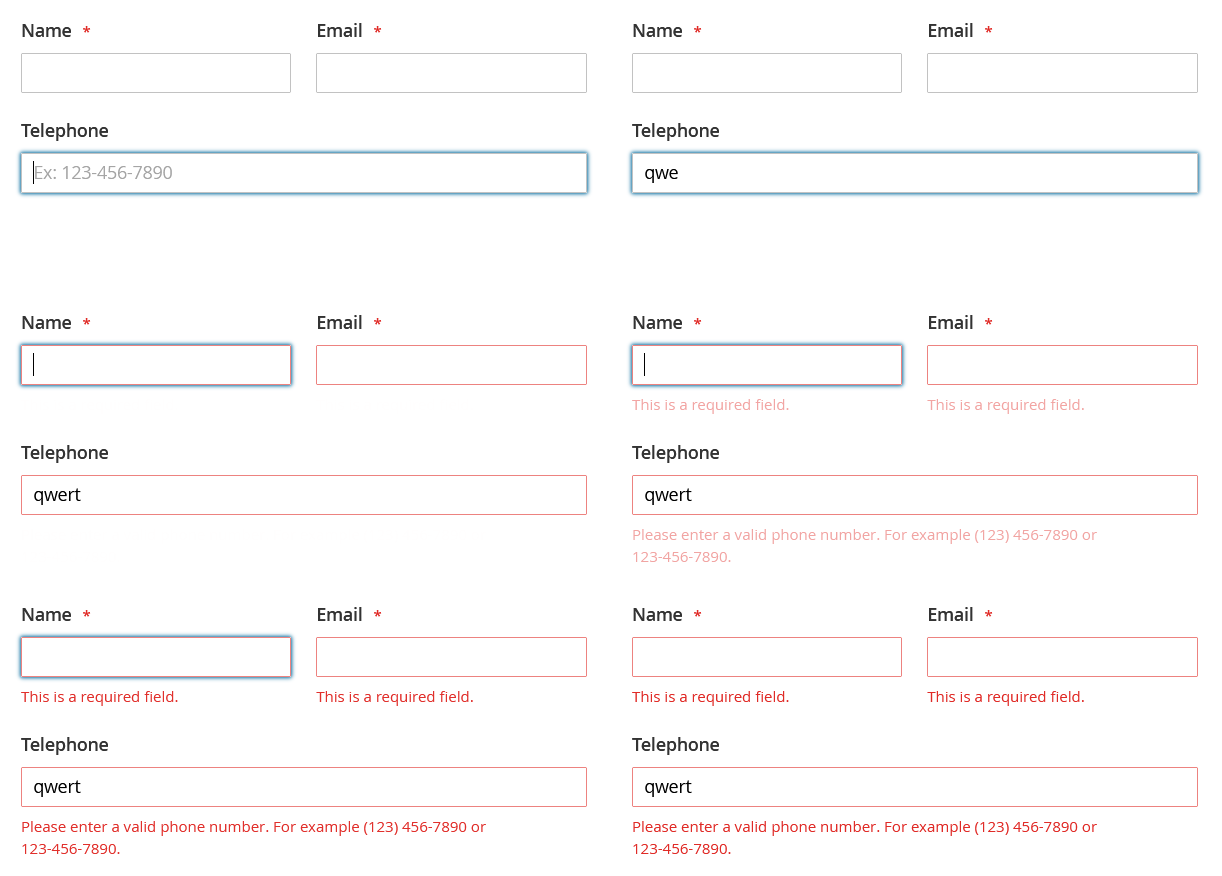
The form builder provides functionality to validate customer data before it's submitted.
Multi-Language Translations
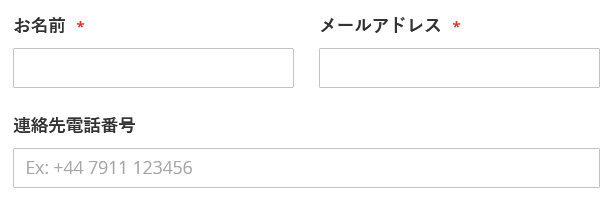
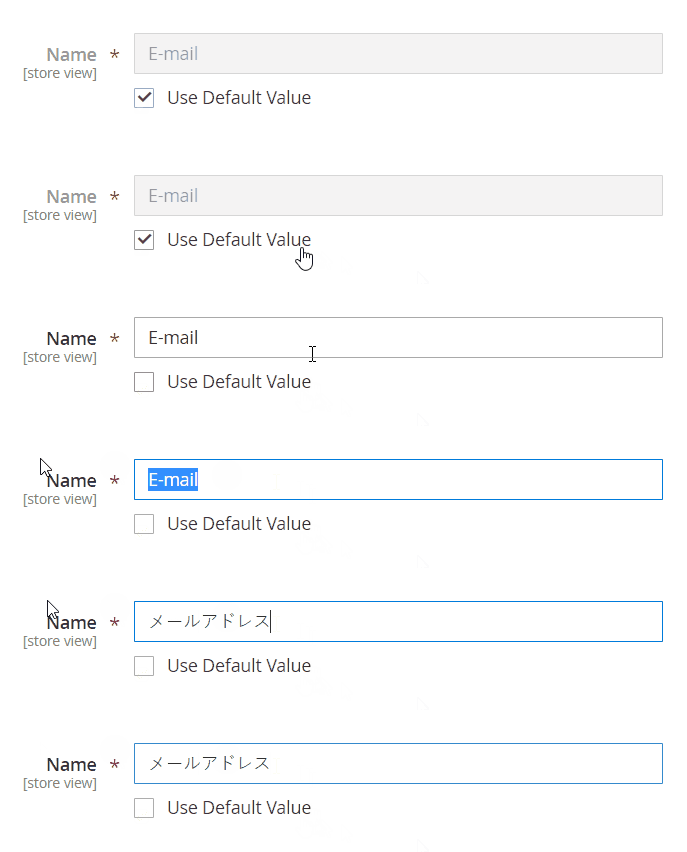
Prepare your product inquiry forms to be displayed in multiple languages in your online store.
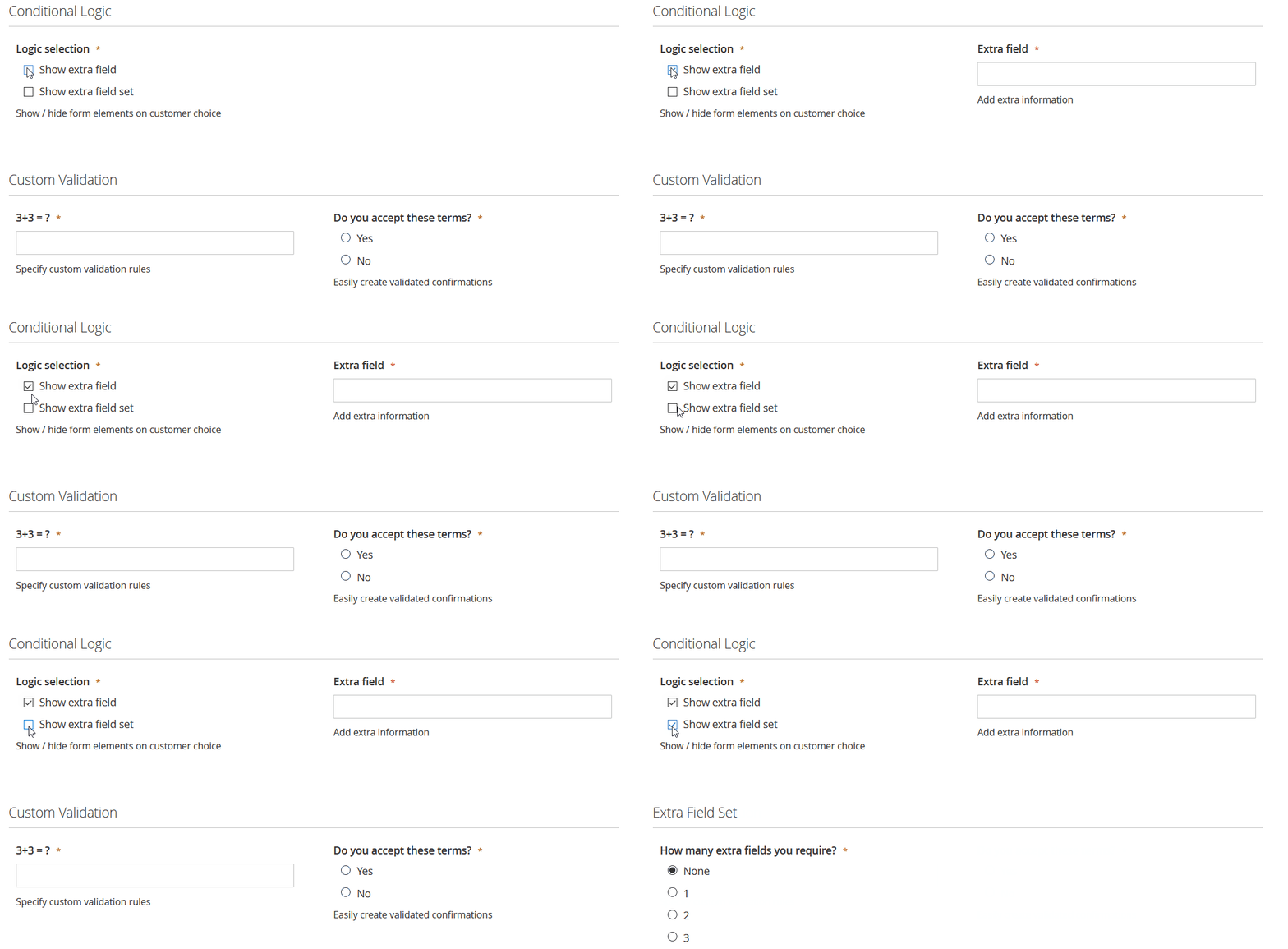
Add Conditional Logic to Inquiry Forms
Our module allows you to create dynamic product inquiry forms that show or hide form elements based on the customer's selection.
Full Data Management Solution
Full Data Management Solution
All product inquiries data is stored in the database and can be accessed from the backend.
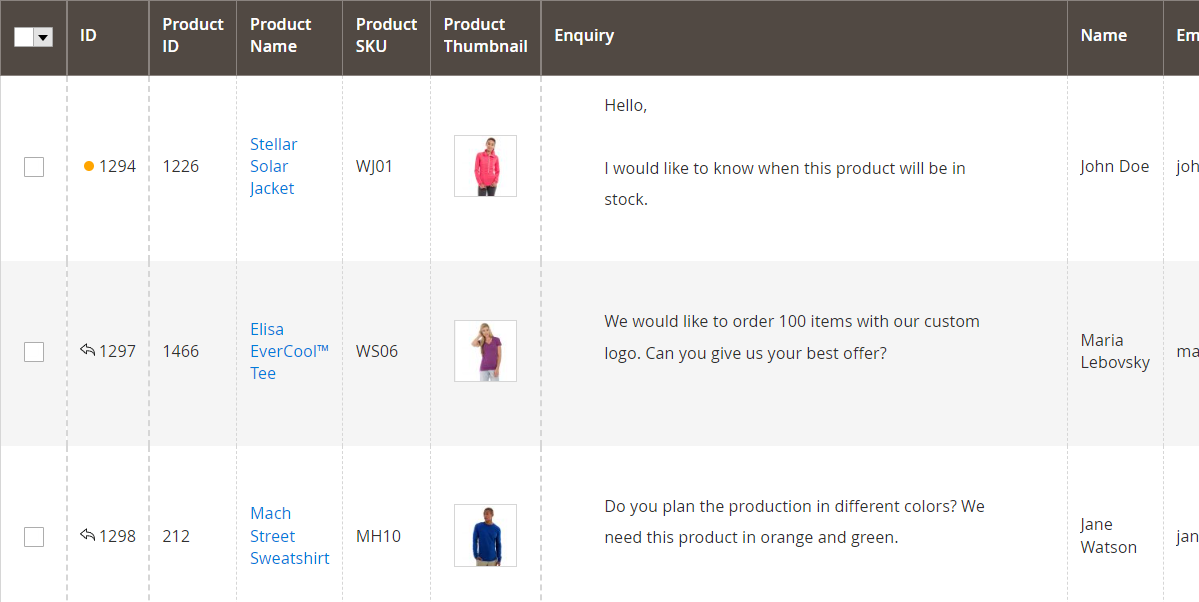
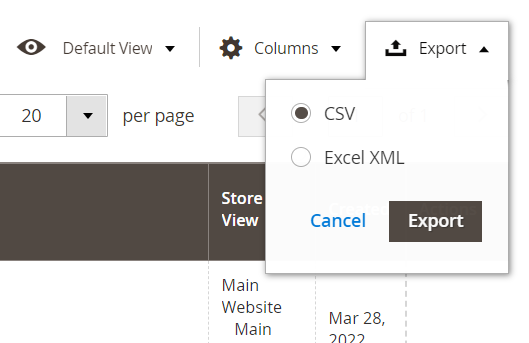
Export Inquiries to CSV and XML
Export all data collected from the product inquiries through the admin panel and use it with 3rd party applications such as Google Docs or Microsoft Office.
Print Inquiries to PDF optional
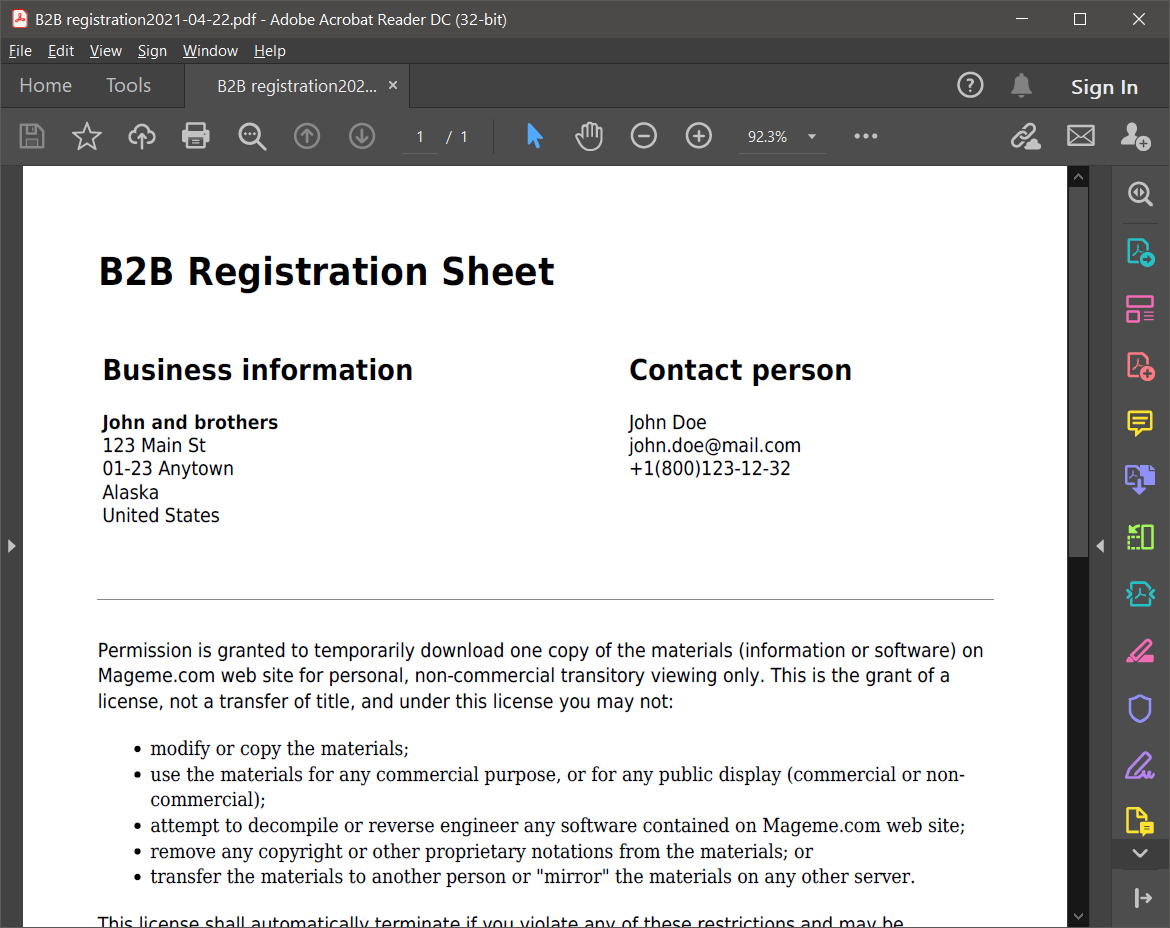
Product inquiries can be converted to a PDF file with a custom template.
The PDF feature should be purchased separately here.
REST API & GraphQL
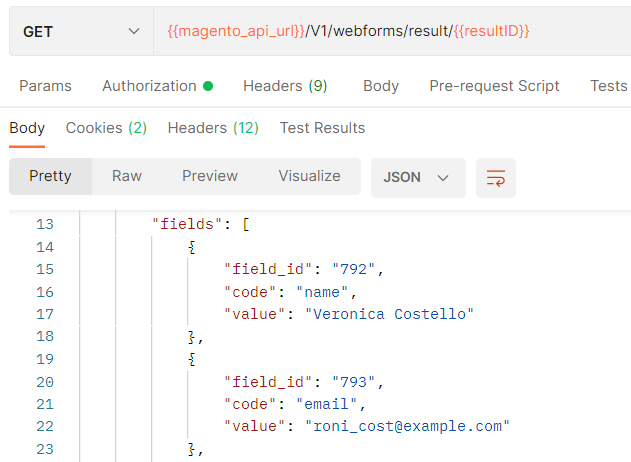
Our form extensions come with built-in REST API and GraphQL support. These interfaces allow:
- Retrieval of inquiry data
- Submission of an inquiry
- Access to the listing of all inquiries
- Access to specific inquiries by the result ID
Additional Features

Easy Installation
Install the extension with one of two methods:
- Use sFTP program to copy files from zip archive to your server
- Use Composer to install package from our private repository

Effortless Configuration
Simple configuration allows a wide range of functionality.

Multi-language Support
The extension supports multiple stores and languages.

100% Open Source
Our extension is fully open-sourced, with no encoded or obfuscated files.
See all features organized in one convenient page
REVIEWS (5)
5 reviews from real customers
breeze compat ok
Saved our sales pipeline
Conversions for that price range have improved, although it’s hard to say how much of that comes from the plugin itself versus the fact that our sales team got faster at responding. Either way, the results have been positive.
Good for us
Giving it 4 stars only because we had to rework the notification email template to match our branding, and Outlook didn’t render it nicely out of the box.
Amazing
FINALLY A PROPER INQUIRY FORM
CHANGE LOG
3.1.8
Apr 5 2026
- Fix: product data (id, sku, name) was not being saved to webforms result due to column name mismatch introduced during the switch to declarative db_schema.
3.1.7
Apr 5 2026
- Fix: code quality improvements for Marketplace validation.
- Fix: improved security of button template output.
- Fix: fixed condition check in price box plugin.
- Change: migrated setup scripts to data patches.
3.1.5
Jan 21 2026
- Other: switch to db_schema.xml.
3.1.4
Jan 4 2026
- New: license check removed. The add-on is now a part of the WebForms Suite.
3.1.3
Nov 25 2025
- Fix: improved product view detection algorithm to avoid button duplicates.
3.1.2
Nov 17 2025
- Fix: improved product view and listing detection.
3.1.1
Nov 1 2024
- New: "Not Logged In" group added to the options.
3.1.0
Sep 23 2024
- New: compatibility with WebForms 3.3.
3.0.3
Mar 5 2024
- Fix: products with tier pricing now have the button displayed properly.
- Fix: minor JavaScript "undefined" errors fixed.
3.0.2
Jun 27 2023
- New: add ability to set different form for selected products.
- New: added possibility to customize popup window title.
3.0.1
Feb 15 2022
- Fix: backwards compatibility with Magento 2.3.
3.0.0
Oct 10 2022
- Initial release.
Frequently Asked Questions
The license allows activation of the plugin within one production Magento instance with multiple store views.
The license can be freely deactivated and moved to another Magento instance if needed.
The plugin you purchase is for lifetime usage but the access to technical support and updates is limited to one year. If you need extension updates or technical support after a year, you will need to renew your license.
You can activate the purchased license in the development/staging environment and then move the license to the production environment by deactivating it in the admin panel and re-activating it in the new instance.
Please contact us if you require additional development licenses.
Yes, you can do the license transfer from your account area My Licenses page.
Yes! We offer custom development and module customization services. Whether you need modifications to our extensions, custom integrations, or entirely new functionality — our team can help. Visit our Custom Development page or contact us to discuss your project.
Yes, you can customize our plugins to your needs. All our plugins come in 100% open code.
Yes, you can upgrade your license from Open Source to Adobe Commerce by paying the price difference. Please contact us for details.
Yes, all our extensions are fully compatible with Hyvä and CSP out of the box.
You won't have access to product updates after the support period has ended and we won't be able to provide you with technical support.
You can extend your support period by paying the discounted product price.
You can request a refund within 30 days after the initial purchase. Please find more details on our page.