
Best Magento 2 Form Builder Extensions in 2026 (Native Modules vs SaaS)
The best Magento 2 form builder extensions in 2026 are native modules that install directly into your store — giving you full data ownership, deep Magento integration, and no monthly SaaS fees. This comparison reviews the top solutions (MageMe WebForms, Amasty Custom Forms, Aheadworks, and SaaS alternatives) across features, pricing, and compatibility with Luma, Breeze, and Hyvä themes.
Disclosure: MageMe develops WebForms Suite and EasyQuote, which are reviewed in this article. We include competing products with equal detail and link to their official pages. Ratings reflect publicly available information, user reviews, and documented feature sets.
Introduction
If you're running a Magento 2 store and need better forms, you've got two main options: install an extension directly into your store, or use an online service like Google Forms or JotForm. Each approach has trade-offs worth understanding before you commit.
What are Form Builder Solutions for Magento 2 and Why Do You Need Them?
There's a pretty clear split in how you can add forms to Magento 2. Native extensions install right into your system and give you full control over everything—data, design, how fast things load. Online platforms are faster to set up but your data lives on their servers, and you'll keep paying monthly or yearly fees.
What to Look For When Choosing
In B2B Magento projects with long sales cycles and custom approval flows, we've run into situations that forced us to rethink what actually matters. The checklist looks clean on paper, but real projects rarely follow the script.
- Ease of Use: Can you actually build forms without wanting to pull your hair out?
- Data Control: Does your customer data stay in your system or get stored somewhere else?
- Customization: How much can you tweak the design and functionality?
- Integration: Will it work with the other tools you're already using?
- Support: Can you get help when things break?
- Cost: Pay once or keep paying forever?
The problem starts when you assume all these criteria carry equal weight. They don't. Performance depends heavily on theme, caching strategy, and how aggressively third-party scripts are used. We've run into this more than once on stores using strict CSP policies where the "lightweight" solution became the heaviest bottleneck.
Top Form Builder Solutions for Magento 2 in 2026
Native Magento Extensions
1. MageMe WebForms Suite
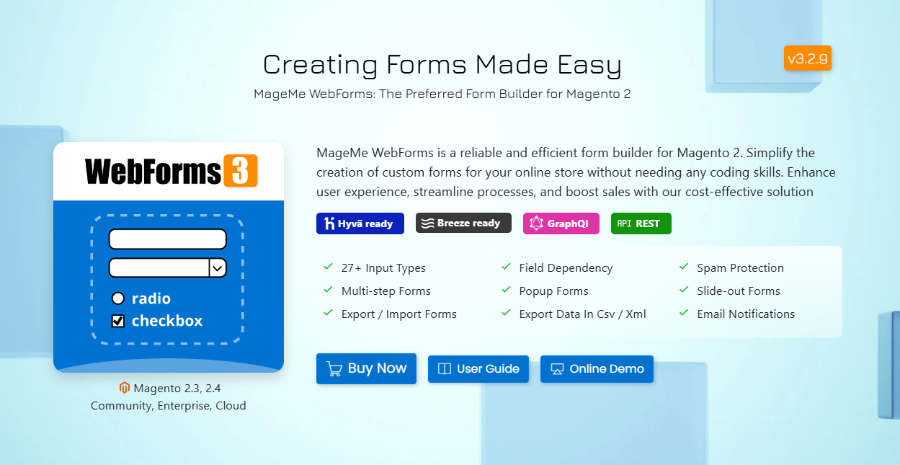
MageMe WebForms Suite bundles together what used to be sold as separate extensions. You get everything from basic contact forms to complex B2B registration workflows in one package. It works with Hyvä themes, has GraphQL/REST APIs for headless setups, and connects to eight different CRMs out of the box. At €189, you're getting modules that would normally cost over €1,000 separately.
In real Magento projects, we've seen this extension handle some pretty demanding scenarios—B2B stores with multi-level approval workflows, custom product configurators with 100+ dependent fields, registration forms that route to different CRMs based on customer type. On one project, conditional logic became so complex that we had to rebuild the form structure from scratch. The mapping took three days because the original setup tried to cover every edge case upfront instead of building incrementally.
Key Features:
- 30+ Field Types including Dynamic Grid, WYSIWYG editor, star ratings, Google Maps
- Conditional Logic that can handle over 100 different rules
- Multi-step Forms with progress bars
- Hyvä Theme Support via dedicated module
- GraphQL & REST APIs for headless commerce
- Fast Performance - forms render fast enough not to affect page interaction in real projects, though noticeable delay shows up on slower mobile connections
What's Included in the Suite:
- Customer Registration: B2B workflows with approval systems
- Product Inquiry: Buttons that automatically grab product info
- Product Options Pro: Better product customization than Magento's default options
- Digital Signature: Get legally binding signatures on contracts
- PDF Generation: Create branded PDFs from submissions
- Reference Numbers: Unique IDs for tracking submissions
- 8 CRM Integrations: Salesforce, HubSpot, Klaviyo, Mailchimp, Zendesk, Zoho, Freshdesk, Zapier (connects to 8000+ apps)
When This Suite Becomes Overkill
Initial setup isn't trivial if you're not comfortable with Magento's admin structure. You'll need to understand ACL permissions if you want different admin users to manage different forms. The suite's breadth can feel overwhelming for small stores that just need a simple contact form—it's genuinely overkill in those cases.
In practice, some stores end up overengineering forms that should have stayed simple. If you're not willing to maintain your forms after launch, a native extension might become a liability rather than an advantage. The documentation is solid, but the learning curve is real, and if your team isn't prepared to invest time upfront, you'll hit friction fast.
And if you're planning complex conditional logic across multiple steps, expect to spend time mapping it out carefully. This is usually where things break—not because the tool can't handle it, but because the logic requirements weren't properly scoped before implementation started.
Price: €189 (one-time, 12-month support)
2. Amasty Custom Form
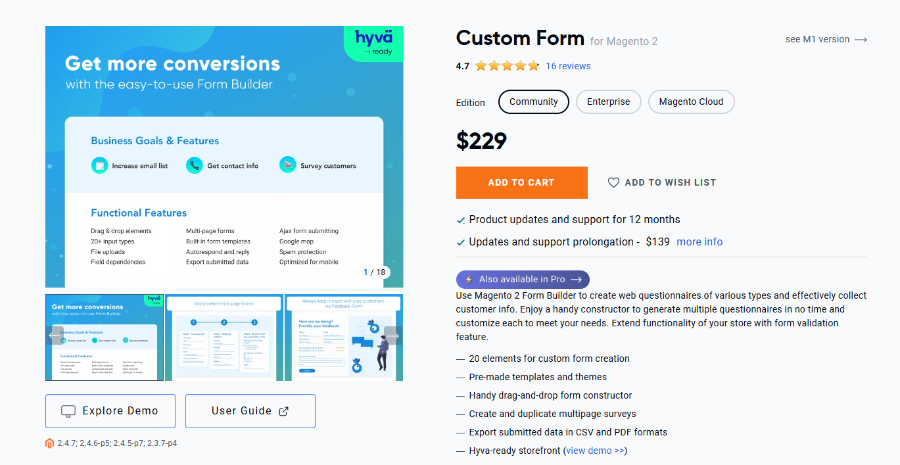
Amasty's option is lighter and simpler. The drag-and-drop builder works well for basic to medium-complexity forms, and it won't slow down your site. If you just need standard contact forms or simple surveys without a lot of bells and whistles, this gets the job done.
Key Features:
- Lightweight, won't bog down your site
- Drag-and-drop interface
- Works best with smaller forms
- Let users edit their submissions
- Built-in popup functionality
The tradeoff here is straightforward: you sacrifice advanced features for simplicity. That's not a criticism—knowing what you don't need is just as valuable as knowing what you do. For stores where forms are secondary to the core business model, Amasty provides exactly enough without demanding ongoing attention.
Price: $349 (one-time / 12-month support)
3. Magezon Blue Form Builder
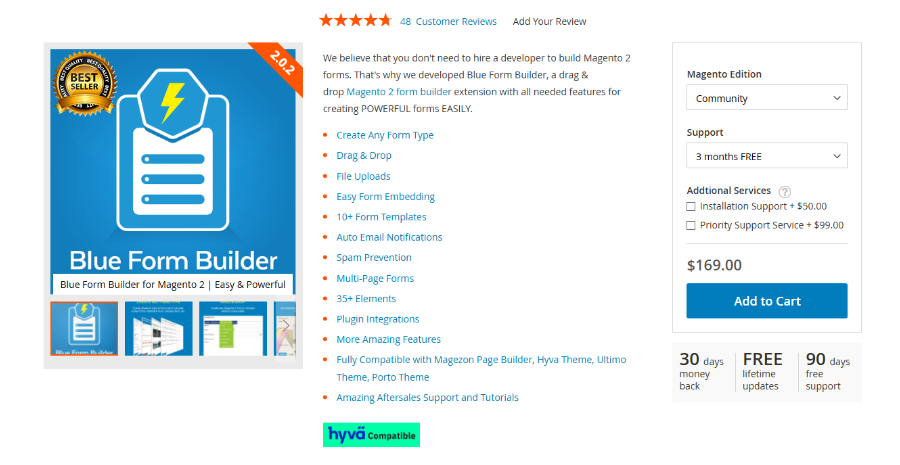
Magezon focuses heavily on design. If visual editing is your top priority and forms are small, Magezon is often faster to work with than solutions built for complex logic first. It integrates with page builders, which is handy if you're already using one.
Key Features:
- Drag-and-drop builder
- Lots of design controls
- Works with page builder tools
- Heavy focus on visual customization
- Good for designers who want control
Price: $169 (3-month support) / $298 (12-month support)
Best Free Options
If you're testing the waters or need a simple contact form replacement without spending anything, these are your realistic options:
Free forever, no time limit. 17 field types, reCAPTCHA, file uploads, popup display, email notifications. Replaces the default contact form in minutes. Same codebase as the Suite — upgrade anytime without data loss.
- Works with Luma, Breeze, Hyvä
- No conditional logic or multi-step (Suite only)
- No CRM integrations (Suite only)
Price: Free —
Built into Magento. Three fixed fields (name, email, comment), basic reCAPTCHA, sends to one email address. Can't add fields, change layout, or customize email templates without PHP/template overrides.
- Zero cost, zero setup
- No file uploads, no dropdowns
- Customization requires developer
Price: Free (included in Magento)
For anything beyond a basic contact form — custom fields, file uploads, multiple recipients — WebForms Lite is the only free native extension that doesn't require coding. If you later need conditional logic, multi-step forms, or CRM integrations, upgrading to the Suite preserves all your forms and data.
Online Form Builders (SaaS Platforms)
When SaaS Forms Are Actually Fine
Before dismissing external platforms entirely, there are scenarios where they make sense. If you're testing a new product line and need feedback fast, spinning up a Google Form beats configuring a native extension. If your forms genuinely don't need to integrate with Magento data, keeping them separate might actually simplify your architecture rather than complicate it.
4. Google Forms
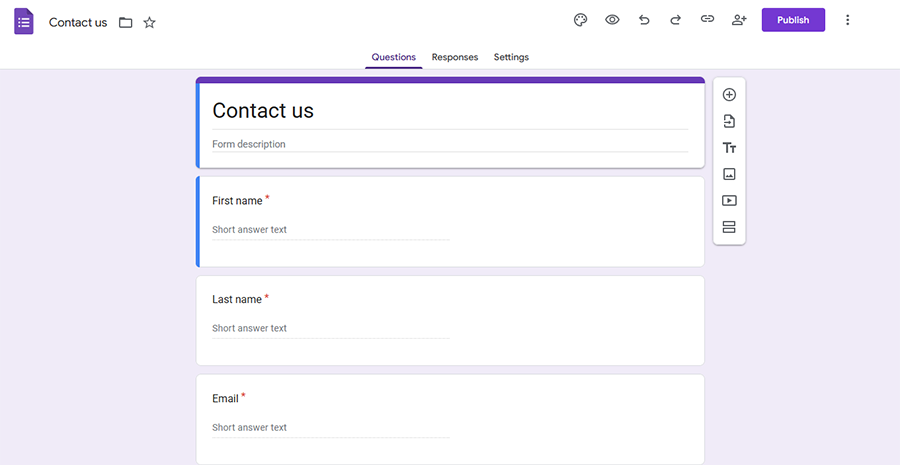
Google Forms is free, which is its biggest selling point. It's fine for basic surveys or simple data collection when you don't need anything fancy.
Key Features:
- Free with a Google account
- Simple interface
- Responses go straight to Google Sheets
Downsides for Magento 2:
- Your data lives on Google's servers
- Limited design options
- Not integrated with your store
- Looks like... a Google Form
Price: Free
5. JotForm
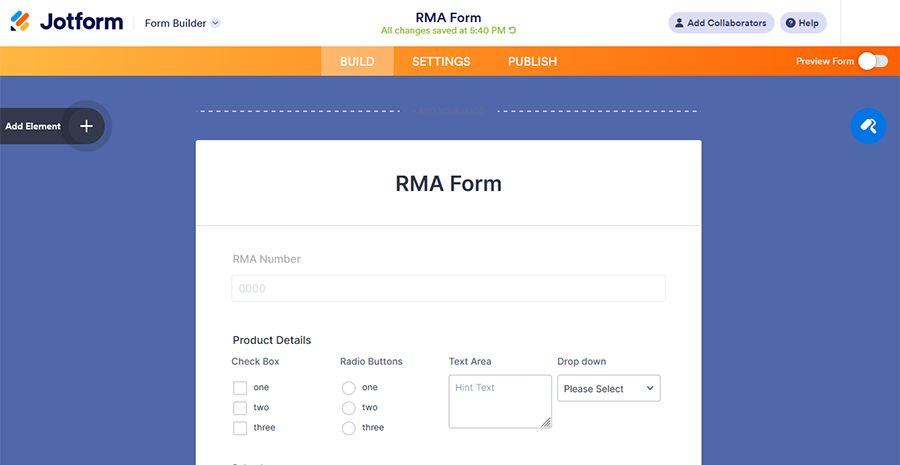
JotForm gives you more features than Google Forms, including conditional logic and payment processing. The free tier is generous, but if you need more than 100 submissions per month, you're paying.
Key Features:
- 10,000+ templates
- Payment integrations built in
- More customization than Google Forms
- Conditional logic available
Downsides for Magento 2:
- Your data is hosted externally
- Monthly subscription after free tier
- No real integration with Magento
- Another vendor to manage
Price: Free (up to 100 submissions/month), paid plans start at $34/month
Side-by-Side Comparison
| Feature | WebForms Suite | Amasty Custom Form Pro | Magezon Blue Form | Google Forms | JotForm |
|---|---|---|---|---|---|
| Solution Type | Native Extension | Native Extension | Native Extension | SaaS Platform | SaaS Platform |
| Data Storage | Your Magento database | Your Magento database | Your Magento database | Google servers | External servers |
| Setup Time | 1-2 hours | 1-2 hours | 1-2 hours | Minutes | Minutes |
| Works After Payment Stops | Indefinitely | Indefinitely | Indefinitely | Always free | Stops immediately |
| Field Types | 30+ advanced types | 15 standard types | 20+ standard types | 10 basic types | 20+ standard types |
| Interface Type | Admin Interface | Drag and Drop | Drag and Drop | Simple Editor | Drag and Drop |
| Form Scalability | Small to 150+ Fields | Small Forms | Small Forms | Very Small Forms | Small-Medium Forms |
| Customer Registration | B2B workflows with approval | Cannot create Magento accounts | Cannot create Magento accounts | ||
| Magento Product Integration | Native | Not possible | Not possible | ||
| Admin Access Role | Granular permissions | Basic | Basic | Google account based | Platform-level only |
| Customer Group Access | Per-form restrictions | Not applicable | Not applicable | ||
| CSP Compliance | Fully compatible | Compatible | Compatible | Conflicts | Conflicts |
| Performance Impact | <100ms render | Minimal | Minimal | 300-900ms overhead | 200-800ms overhead |
| Hyvä Compatibility | Native module | Iframe only | Iframe only | ||
| GraphQL API | Complete | Basic | Not available | External API | |
| Conditional Logic | Advanced | Basic | Basic | Very Basic | Basic |
| Multi-Step Forms | (page breaks) | ||||
| Design Customization | Unlimited (theme inheritance) | Limited | Advanced | Very limited | Template-based |
| Specialized Modules | 6 modules included | None | None | Not applicable | Not applicable |
| CRM Integrations | 8 native connectors | Mailchimp only | Mailchimp, Zapier | Google Workspace only | 50+ via integrations |
| Approval Workflows | Multi-stage | ||||
| GDPR Compliance Tools | Built-in | Basic | Basic | Vendor-dependent | Vendor-dependent |
| Data Export | CSV, XML, PDF | CSV, XML, PDF | CSV, PDF | Google Sheets, CSV | CSV (tier-limited) |
| Initial Cost (12 months support) | €189 | $349 | $298 | Free | Free-$1188 |
| License Model | One-time purchase | One-time purchase | One-time purchase | Free forever | Monthly subscription |
Drag-and-Drop vs Traditional Interfaces
Drag-and-drop builders look nice and work well when you're building small forms. But if you're dealing with forms that have 100+ fields, a traditional admin interface is usually faster and less frustrating. You can bulk edit, use advanced filters, and you won't accidentally drag a field somewhere you didn't mean to.
Think about how complex your forms typically are before deciding which interface style you prefer.
Detailed Comparison: Native Extensions / Online Builders
Data Ownership and Security
Native Extensions: Your customer data stays in your Magento database. You control who accesses it, how it's encrypted, and where it's stored. This matters if you're dealing with GDPR, CCPA, or just prefer not having customer information scattered across third-party servers.
Online Builders: Data lives on the platform's servers. Sure, they promise security and compliance, but you're trusting their infrastructure and accepting their terms of service. If they change pricing, policies, or shut down a feature, you adapt or migrate.
Performance and Page Speed
Native Extensions: Forms load directly from your server. No external scripts, no additional HTTP requests to third-party domains. From working with stores handling 50k+ SKUs, page speed matters—especially on mobile. Every 100ms counts.
Online Builders: You're embedding iframes or loading external JavaScript. This adds latency and can conflict with your Content Security Policy. We've seen multiple cases where embedded forms delayed page interactive time by 1-2 seconds, which directly impacts conversion rates.
Customization and Flexibility
Native Extensions: Full access to the code means you can customize everything. Need to hook into Magento events? Modify field validation? Integrate with custom modules? You can do it. The trade-off is you need technical knowledge or a developer.
Online Builders: You get what the platform offers. Customization is limited to their settings panels. Want to add a custom validation rule or integrate with a proprietary system? Tough luck unless they support webhooks or APIs—and even then, you're constrained.
Cost Over Time
Native Extensions:
- One-time purchase (€189-$349)
- No recurring fees
- Updates typically included for 1 year
- Total 3-year cost: €189-$349
Online Builders:
- Monthly/annual subscriptions
- Costs scale with usage (responses, forms, features)
- Price increases happen regularly
- Total 3-year cost: $504-$3,564 (depending on tier)
For a store that needs advanced features, native extensions pay for themselves within 3-6 months.
Integration with Magento
Native Extensions: Deep integration with Magento's customer accounts, products, orders, and custom attributes. Forms can pre-fill customer data, trigger Magento events, and interact with other extensions seamlessly.
Online Builders: Surface-level integration at best. You might get form submissions via email or webhook, but connecting to Magento's customer database, order system, or product catalog requires custom development—if it's possible at all.
Technical Support and Updates
Native Extensions: Support quality varies by vendor. Good ones offer direct support, regular updates for new Magento versions, and compatibility fixes. You're dependent on the vendor staying in business and maintaining the extension.
Online Builders: Generally solid support since it's their core business. But you're at their mercy for feature requests, bug fixes, and platform changes. They prioritize what benefits their entire user base, not just Magento merchants.
When to Use Native Extensions or Online Builders
Choose Native Extensions If:
- You need full control over customer data
- Page speed and performance are priorities
- You want deep Magento integration (customer accounts, products, etc.)
- You're building complex, conditional forms
- You prefer one-time costs over subscriptions
- You have (or can hire) technical resources for setup
Choose Online Builders If:
- You need something working in the next 10 minutes
- You're running simple surveys or feedback collection
- You don't have technical resources and can't hire them
- You're okay with external data storage
- Your form needs are temporary or seasonal
- Budget is extremely tight right now
Native vs. SaaS: Making the Right Call
The split between native extensions and external platforms isn't just about features—it's about control versus convenience, and which tradeoff you're willing to accept.
Why Native Extensions Usually Win for Serious Stores
If forms are critical to your business model—quote requests, B2B registration, custom product configuration—native extensions give you the control you need. Your data stays in your database, performance is predictable, and you're not dependent on a third-party service staying reliable or affordable. The upfront investment is higher, but over two years the math almost always favors the one-time purchase.
Where External Platforms Make Sense
If you need forms temporarily, for testing, or for data that genuinely doesn't need to integrate with your store, external platforms can be the pragmatic choice. Launch speed matters when you're validating an idea, and sometimes the best form builder is the one that gets out of your way fastest.
What Breaks First When Forms Get Too Complex
Conditional logic. Every time. Whether you're using a native extension or SaaS platform, complex branching logic becomes unmaintainable faster than you expect. The tools handle it technically, but humans struggle to debug forms with 50+ conditional rules spread across multiple steps. If you find yourself drawing flowcharts to explain your form logic, you've probably crossed into territory where simplification would serve you better than more sophisticated tooling.
Is It Worth Switching If My Current Forms Work?
This depends entirely on where the pain points are. If your current forms are slow, hard to maintain, or can't handle the complexity you need, switching makes sense. If they're working fine and you're just curious about newer options, the disruption cost probably isn't worth it.
In reality, for some stores, the best form builder is the one they already have, even if it's not perfect. Migration takes time, requires retesting, and introduces risk. Unless you're hitting concrete limitations that are costing you conversions or operational efficiency, staying put is often the smarter play.
Signs You Actually Need to Switch
- Forms are slowing down your pages noticeably
- You can't build the form logic you need without hacks
- Support is non-existent or the extension is no longer maintained
- Integration with other systems requires manual workarounds
If none of these apply, you're probably fine where you are.
Final Thoughts
Choosing a form builder isn't about finding the "best" tool—it's about matching capabilities to your actual needs without overpaying or overcomplicating. Native extensions give you control and long-term cost efficiency if forms matter to your business. External platforms offer speed and simplicity if forms are secondary or temporary.
The wrong choice isn't picking a tool that's objectively worse. The wrong choice is picking a tool that doesn't align with how your team works, what your store actually needs, or what you're prepared to maintain over time.
Key Takeaways
- Native modules beat SaaS — data ownership, no recurring fees, full Magento integration.
- WebForms Suite is the most complete — 30+ field types, conditional logic, multi-step, file upload, plus add-ons (Print to PDF, Zapier, Cart Quote).
- Theme compatibility varies widely — only MageMe supports Luma, Breeze, and Hyvä natively.
- SaaS forms create compliance risk — customer data stored on third-party servers.
- One-time license vs subscription — native modules are one-time purchases; SaaS charges monthly.
Frequently Asked Questions
Form builder solutions for Magento 2 come in two categories: native extensions that integrate directly into your Magento installation, and external SaaS platforms like Google Forms or JotForm. Native modules offer complete control over data, customization, and performance, while SaaS platforms provide quick setup at the cost of data ownership and ongoing subscription fees.
MageMe WebForms Suite is a comprehensive form building solution for Magento 2, offering 30+ field types, advanced conditional logic, multi-step forms, GraphQL/REST APIs, Hyvä Theme compatibility, and 8 native CRM integrations.
For stores with serious form requirements, native extensions typically provide better outcomes regarding data ownership, performance, integration depth, and total cost of ownership. Online form builders may offer quick setup but have subscription dependencies, external data storage, and performance overhead.
Using MageMe Extensions? Share Your Experience!

Related Posts






Related Products
WebForms Suite
WebForms Suite is a Magento 2 form builder extension with 30+ field types, multi-step forms, conditional logic, file upload, digital signat…
View Product
Product Options Form
MageMe Product Options Pro is a Magento 2 custom product options extension with 30 field types, dependent options, multi-step forms, condit…
View Product