
How to Add Custom Fields to Magento 2 Registration Form
Custom registration form fields in Magento 2 let you collect company name, tax ID, phone number, business type, and any other data during customer signup. MageMe WebForms Suite replaces the default registration form — add custom fields from admin, set up conditional logic, collect file uploads, and auto-create customer accounts on submission. Works with Luma, Breeze, and Hyvä on Magento 2.3.7+.
format_list_bulleted Table of Contents
Why Custom Registration Fields Matter
The default Magento 2 registration form collects five fields: first name, last name, email, password, and password confirmation. That's enough for a simple B2C store, but it falls short the moment you need additional information at signup.
Company name, tax/VAT ID, business license, annual revenue, number of employees. Required for dealer approval workflows and tiered pricing.
ID document uploads, terms acceptance checkboxes, age verification, GDPR consent fields. Required for regulated industries and government tenders.
Industry dropdown, preferred contact method, referral source. Route new registrations to different sales reps or customer groups based on form answers.
What the Default Magento 2 Registration Form Can't Do
Before diving into the solution, here's what you're working against with the built-in registration form:
| Capability | Default Form | WebForms |
|---|---|---|
| Custom text/dropdown/checkbox fields | Requires PHP code | Admin panel — no code |
| File/document upload | Not supported | Built-in dropzone |
| Conditional logic (show/hide fields) | Not supported | Suite only |
| Email routing by field value | Not supported | Suite |
| CAPTCHA / spam protection | reCAPTCHA only | reCAPTCHA + hCaptcha + Turnstile |
| Multi-step form with progress bar | Not supported | Suite only |
Adding custom fields to the default form requires creating a setup_patch for each attribute, writing a plugin for the registration controller, and modifying the .phtml template. Every Magento upgrade risks breaking these customizations. WebForms avoids all of this — fields are configured in the admin panel without writing code.
How to Create a Custom Registration Form in Magento 2
Follow these steps to replace the default registration form with a custom WebForms form. The entire setup takes about 15 minutes.
Step 1: Install WebForms Suite + Customer Registration
Add the MageMe Composer repository and install both packages from your Magento root directory:
composer config repositories.mageme composer https://repo.mageme.com
composer require mageme/module-webforms-3
composer require mageme/module-webforms-3-customer-registration
php bin/magento module:enable MageMe_Core MageMe_WebForms MageMe_WebFormsCustomerRegistration
php bin/magento setup:upgrade
Composer will prompt for your authentication key — find it in the Composer Repository section of your MageMe account.
Log out and back into the Magento admin, then activate your license at Stores → Configuration → MageMe Extensions → Licenses.
Note: Customer registration requires WebForms Suite + the Customer Registration add-on. The free handles contact forms, surveys, and inquiries but cannot create customer accounts. See the full installation guide for details.
Step 2: Create the Registration Form
- Go to Content → WebForms → Manage Forms in the Magento admin
- Click Add New Form
- Set the form name to "Customer Registration" (or any name you prefer)
- Under General Settings, configure the success message and redirect URL (e.g., customer dashboard)
- Under Email Settings, set the notification recipients — the sales team, admin, or both
Step 3: Add Custom Fields
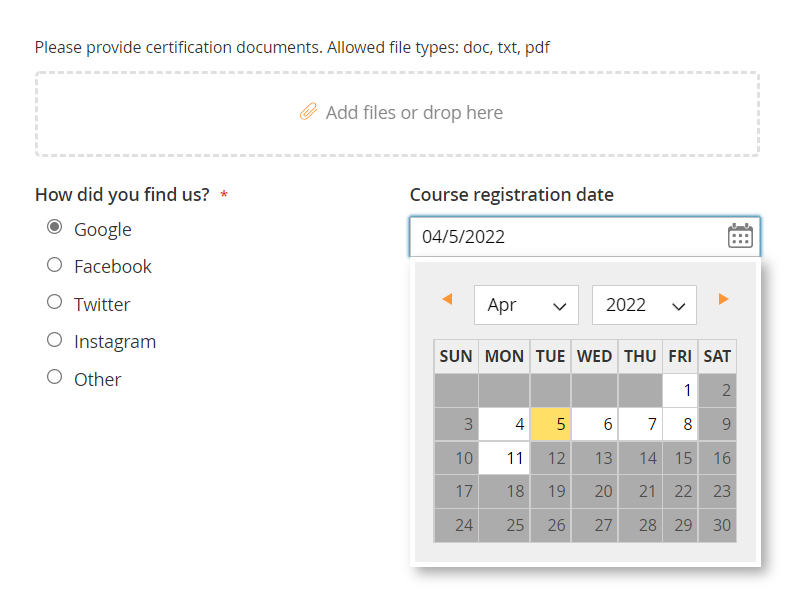
Click Add Field to start building your form. Common registration fields:
- First Name / Last Name (Text)
- Email Address (Email)
- Phone Number (Text + validation)
- Password (Password field)
- Company Name (Text)
- Tax / VAT ID (Text)
- Business Type (Dropdown)
- Annual Revenue Range (Dropdown)
- Business License (File Upload)
- Terms & Conditions (Checkbox)
- Newsletter Opt-in (Checkbox)
- How Did You Hear About Us (Dropdown)
Step 4: Configure CAPTCHA
Protect your registration form from bot signups. In the form's CAPTCHA tab, choose your preferred method: reCAPTCHA v2/v3, hCaptcha, or Cloudflare Turnstile. All three are supported. See our spam protection guide for a detailed comparison.
Step 5: Place the Form on the Registration Page
You have several options for displaying the form:
- CMS Widget: Add a WebForms widget to any CMS page or block. Navigate to Content → Widgets, create a new widget of type "WebForms", select your registration form, and assign it to the registration page layout.
- Contact Us Replacement: In the form settings, enable "Use as Contact Form" to replace the default form on the contact page. For registration, create a dedicated CMS page instead.
- Layout XML: Reference the form in your theme's layout XML to embed it on the customer registration page. See our embedding guide for all five methods.
Step 6: Set Up Email Notifications
Configure who receives registration notifications in the form's Email Settings tab. WebForms supports multiple recipients, CC/BCC, and different email templates per form. You can route registrations to different departments based on field values — for example, send wholesale applications to the sales team and retail signups to customer support.
B2B Registration: Approval Workflows & Dealer Applications
B2B and wholesale stores often need a registration process that goes beyond collecting information. Typical requirements include:
- Manual approval: New wholesale accounts should not be active immediately (unlike a simple contact form). The sales team reviews the application, verifies the business license, and manually approves the account.
- Customer group assignment: Route approved dealers to a "Wholesale" customer group with tiered pricing automatically.
- Document collection: Require business license, resale certificate, or tax exemption documents as file uploads during registration.
- Conditional fields: Show different fields based on business type — a distributor sees quantity commitments, a retailer sees store location fields. (Suite only)
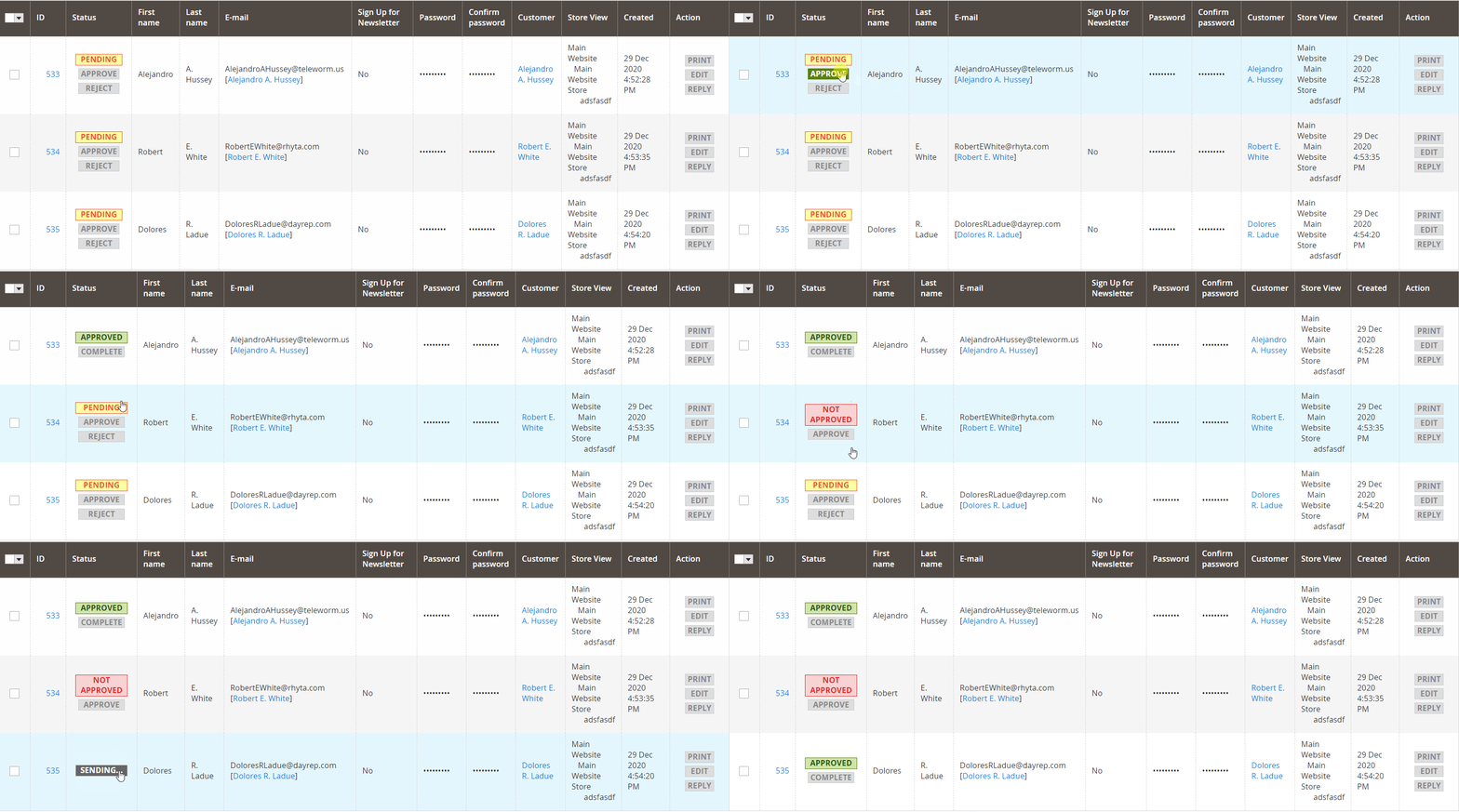
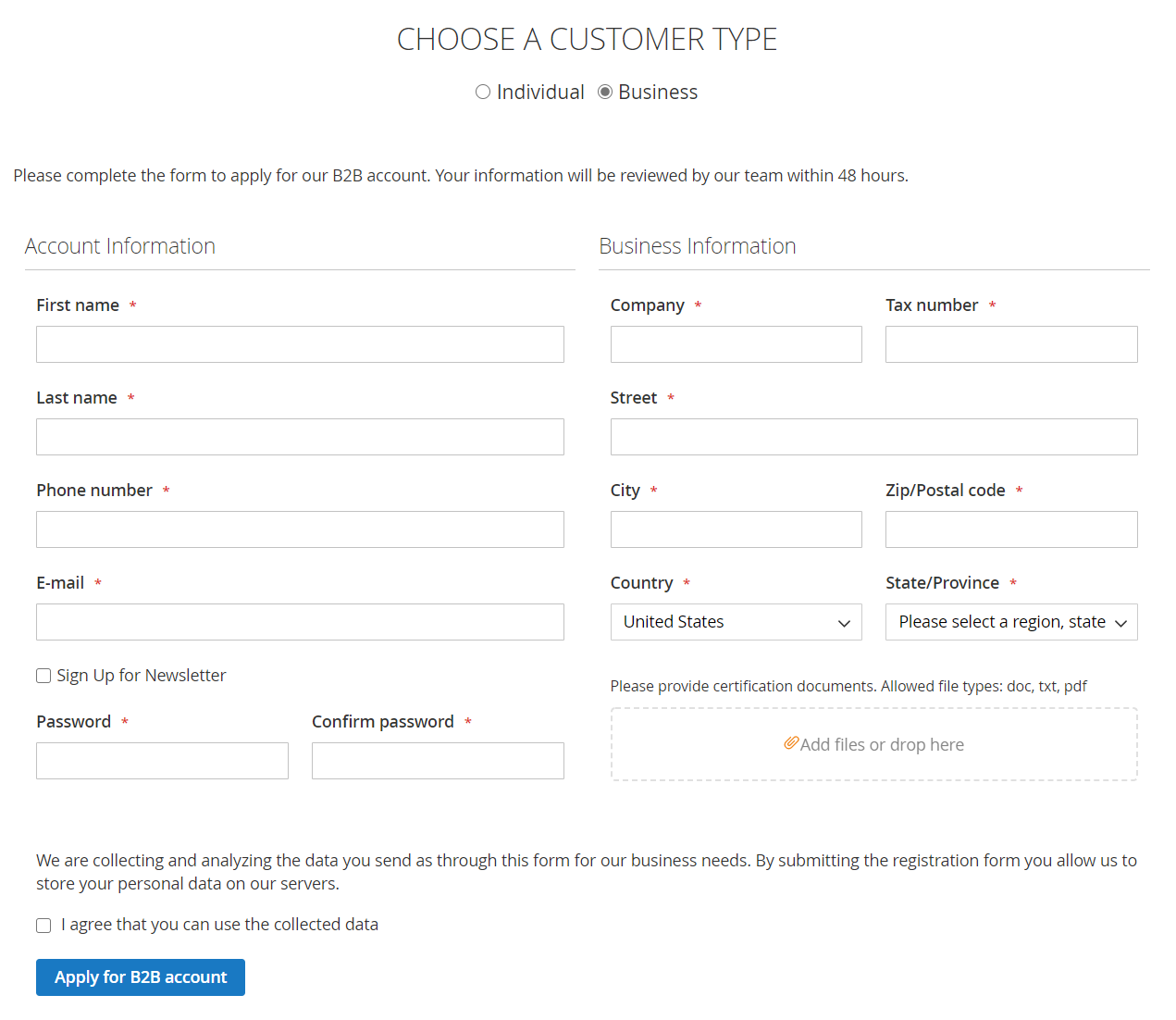
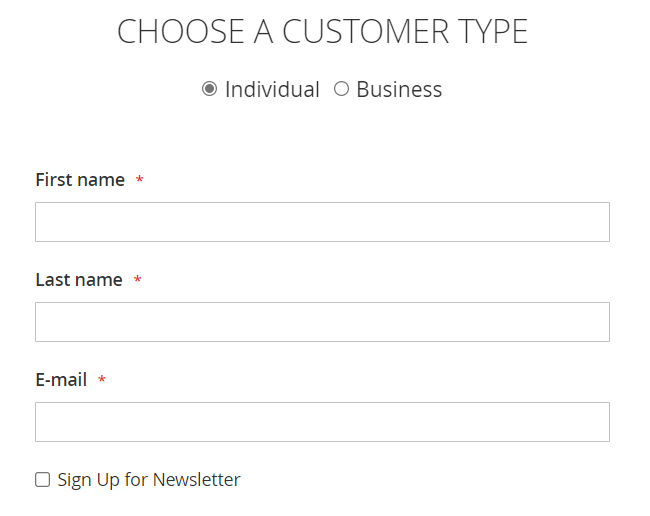
The Customer Registration add-on (included in WebForms Suite) connects form submissions directly to Magento's customer accounts. When a prospect submits the registration form, Suite automatically creates a customer account, assigns it to a customer group, and maps form fields to customer attributes — all without custom code.
What WebForms Suite Adds for Registration Forms
A registration form needs more than a contact form does: it has to create the customer account, write to customer attributes, and route approvals. Here is what that takes.
- 30+ field types, including file upload
- Conditional logic
- Customer Registration add-on
- Auto-create customer accounts
- Map fields to customer attributes
- Multi-step forms with progress bar
- reCAPTCHA, hCaptcha, Turnstile
- Email notifications with routing
- Popup, inline, or embedded on any CMS page
- 8 CRM integrations (Salesforce, HubSpot, etc.)
Best for: B2B registration with approval workflows, document collection, conditional fields, and CRM sync.
Get WebForms SuiteKey Takeaways
- The default Magento 2 registration form only has 5 fixed fields — customizing it requires PHP development.
- MageMe WebForms Suite lets you build custom registration forms from admin — no PHP coding needed.
- WebForms Suite adds the Customer Registration add-on: auto-account creation, customer group assignment, conditional logic, and CRM integrations.
- All CAPTCHA methods (reCAPTCHA, hCaptcha, Turnstile) are supported to prevent bot registrations.
Frequently Asked Questions
Yes. MageMe WebForms Suite provides a no-code form builder that lets you create a custom registration form with any fields you need — text inputs, dropdowns, checkboxes, file uploads, and more. The Customer Registration add-on (included in Suite) auto-creates customer accounts on submission.
Yes, but only in the Suite version. The Customer Registration add-on maps form fields to customer attributes, auto-creates accounts on submission, and can assign customers to specific customer groups.
Yes. WebForms Suite supports file upload fields with drag-and-drop dropzone, file type validation, and size limits. You can require business licenses, resale certificates, or any other documents as part of registration.
Yes. WebForms is fully compatible with Hyvä, Breeze (Swissup), and Luma themes. The Hyvä compatibility module is included at no extra cost.
Dedicated extensions add individual fields to the existing registration form. WebForms replaces the entire form with a custom-built one — you get a reusable form builder for contact forms, surveys, and more, instead of a single-purpose plugin.
Using WebForms? Share Your Experience!