v3.5.6
Complete Form Builder Suite

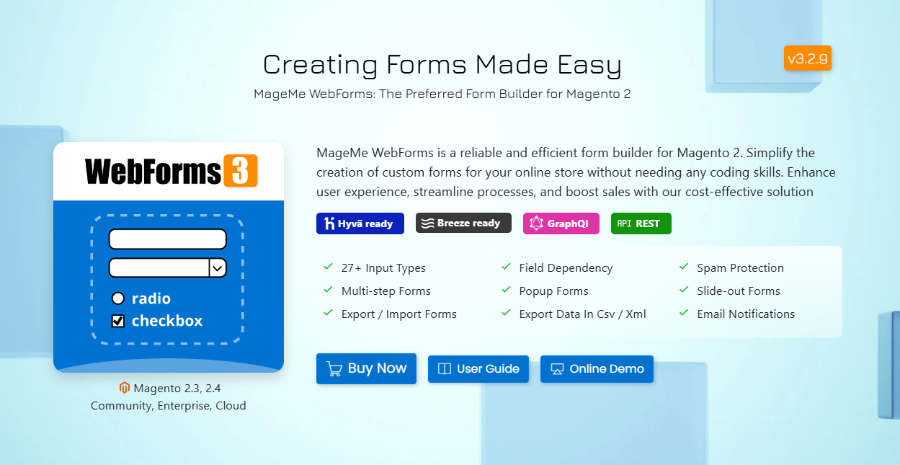
WebForms Suite: Magento 2 Custom Form Builder Extension

WebForms Suite
Magento 2.3.5 - 2.4.8 · Community, Enterprise, Cloud
Hyvä Ready Breeze Ready GraphQL REST API

Build custom forms for Magento 2 without coding. WebForms Suite replaces 6–10 separate extensions with one install: custom forms, customer registration, product options, PDF generation, and 8 native CRM integrations (Salesforce, HubSpot, Klaviyo and more). Open-source, no vendor lock-in, native Hyvä and Breeze support included. Community Edition from €189.

  • check_circle 30 Input Types
  • check_circle Multi-step Forms
  • check_circle Popup Forms
  • check_circle Slide-out Forms
  • check_circle Field Dependency
  • check_circle Spam Protection
  • check_circle Csv/pdf Export
  • check_circle Email Notifications

Screenshots

A quick glance at frontend and backend functions.

Product Details

Why Enterprise Stores Choose This Custom Form Extension

All-in-One Suite

Complete package with form builder, customer registration, product inquiry forms, custom product options, digital signatures, PDF generation, and reference numbering.

Enterprise Security

Google reCAPTCHA Enterprise, Cloudflare Turnstile, and hCaptcha support. GDPR-compliant data handling with automated cleanup.

Theme Ready

Native Hyvä module included. Full compatibility with Breeze, Luma, and custom themes. WCAG 2.1 AA compliant.

Native API Support

GraphQL + REST APIs with JWT authentication for headless implementations and seamless third-party integrations.

integration_instructions

8 Native CRM Integrations

Pre-configured connectors for Salesforce, HubSpot, Zendesk, Mailchimp, Klaviyo, Zoho CRM, Freshdesk, plus Zapier access to 8000+ additional platforms.

Performance Optimized

Fast render time with dynamic CSS loading, Lighthouse-optimized scoring, and efficient conditional logic processing.

Who Should Choose WebForms Suite?

Determine if this comprehensive solution is right for your Magento 2 store

Perfect For

  • Enterprise & B2B stores - Complex RFQ forms, bulk ordering, multi-level approvals, custom registration workflows
  • CRM integration requirements - 8 native connectors (Salesforce, HubSpot, Zendesk, Klaviyo, Mailchimp, Freshdesk, Zoho) plus Zapier for 8000+ apps
  • Product customization - Replace native Magento options with advanced fields, file uploads, image swatches, conditional visibility
  • Custom registration processes - Multi-step forms, approval workflows, group-based access control for B2B/wholesale
  • Headless commerce - PWA, mobile apps, custom frontends (native GraphQL/REST APIs)
  • Document workflows - Digital signatures, PDF generation, automated attachments to emails
  • GDPR compliance needs - Automated data retention, consent management
  • Hyvä or Breeze themes - Native compatibility modules included
  • Multi-row data collection - Dynamic Grid for bulk orders, registrations

Not Ideal For

  • Simple contact forms only - Consider WebForms Lite for basic "Contact Us" needs
  • Limited budget - €189 one-time cost may not justify ROI for very basic requirements
  • Payment processing - No built-in payment forms (use Magento checkout instead)
  • Native mobile apps - Web-only solution (API available for custom integrations)
Still not sure? Read FAQ or View Documentation

Technical Specifications

Platform Compatibility

Magento Versions 2.3.5 - 2.4.8
PHP Support 7.2, 7.3, 7.4, 8.0, 8.1, 8.2, 8.3, 8.4
Magento Editions Community, Commerce, Cloud
Theme Compatibility Luma, Hyvä (native module + CSP compliant), Breeze, Porto, Argento
Pre-Built Integrations Zapier, Klaviyo, Salesforce, HubSpot, Mailchimp, Zendesk, Zoho CRM, Freshdesk
Page Builder Native Magento Page Builder integration

Performance Metrics

Form Render Time <100ms (optimized)
Lighthouse Score 95+ (with optimization)
CSS Loading Dynamic (only required styles)
Conditional Logic Optimized for 100+ rules with nesting logic
Form Complexity Handles extra-large forms with 150+ fields

API Capabilities

Feature GraphQL REST API
Endpoints Available 6 queries/mutations 5 endpoints
Authentication JWT + Session Token + Session
Form Submission Yes Yes
File Upload Yes Yes
Result Retrieval Yes Yes
Form Information Yes Yes
Captcha Validation Yes No

Field Types Supported

30 native field types organized by category:

Text Inputs: Single-line text, Textarea, WYSIWYG Editor, Email, URL, Password, Phone Number

Selection: Dropdown, Radio buttons, Checkboxes, Multi-select, Select Contact, Country, State/Province

Date/Time: Date picker, Time picker, Date/Time, Date of Birth

Advanced: Star Rating, Color Picker, Google Maps, File Upload, Image Upload, Gallery/Image Select, Dynamic Grid, Digital Signature

Utility: Hidden fields, HTML blocks, Subscription checkbox, Auto-complete

Core Features

Responsive Multi-Column Layouts

Create complex form layouts with WebForms' internal responsive grid system:

  • Up to 12-column grid with precise field positioning
  • Device-specific layouts - customize for desktop, tablet, and mobile
  • Automatic adaptation to screen sizes (smartphone, tablet, desktop)
  • Pixel-perfect alignment using built-in CSS grid

Perfect for complex forms like registration, applications, or detailed questionnaires where visual hierarchy matters.

Screenshot: Multi-column form layout example showing 2-column and 3-column field arrangements with responsive grid system

Multiple Display Modes

Present forms in the way that best suits your workflow:

  • Inline embedding - Traditional form placement on any page
  • Popup modal - Button-triggered overlay (non-intrusive)
  • Slide-out panel - Sidebar form for quick access
  • Link form - Direct URL access to standalone form page

Configure display mode per form with custom trigger buttons, animations, and positioning.

Screenshot: Four different form display modes - inline, popup modal, slide-out panel, and link form examples

Multi-Step Forms with Progress Tracking

Break complex forms into logical steps to improve completion rates:

  • Unlimited pages with conditional visibility
  • Data persistence between steps (auto-save to localStorage)
  • Step-specific validation with inline error messages
  • Navigation controls - back/next buttons

Ideal for lengthy forms like job applications, RFQ submissions, or detailed surveys.

Screenshot: Multi-step form with progress indicator showing steps 1-4, with current step highlighted and completed steps marked

Advanced Conditional Logic (Field Dependencies)

Create dynamic forms that adapt based on user input:

  • Show/hide fields based on previous answers
  • Unlimited nesting depth for complex decision trees
  • Multiple conditions per rule (AND/OR logic)
  • Performance optimized for 100+ conditional rules
  • Apply to any field type including HTML blocks and entire fieldsets

Example use case: Show "Preferred contact time" only when user selects "Phone" as contact method.

Technical note: Logic engine rewritten in v3.5 for 3-5x faster processing on complex forms.

Screenshot: Form showing conditional logic in action - phone field selection reveals additional time preference fields dynamically

Dynamic Grid Input NEW in 3.5

Collect multi-row tabular data with our new Dynamic Grid field type:

  • 5 column types supported - Text, Radio, Checkbox, Select, Quantity
  • Add/remove rows dynamically - customers control row count
  • Mobile-optimized - transforms to stacked fields on small screens
  • Validation per column - ensure data quality in each cell

Perfect for:

  • Multi-product RFQ forms (product name, quantity, specifications)
  • Event registration (attendee name, meal preference, t-shirt size)
  • Equipment service requests (model, service type, urgency level)
Screenshot: Dynamic grid showing a multi-row table with columns for product name, quantity, and specifications, with add/remove row buttons

Form Pre-filling & Smart Defaults

Reduce friction by pre-populating form fields:

  • Customer data auto-fill - Name, email, phone for logged-in users
  • URL parameters - Pre-fill any field via query string (Example: ?name=John&email=john@example.com)
  • Hidden field values - Store metadata invisible to customers
  • Default values - Set fallback values for any field type

Reduces form completion time by 30-40% for returning customers.

Screenshot: Form with automatically pre-filled customer name, email, and address fields for logged-in user

Secure File Upload System

Handle customer file uploads with enterprise-grade security:

  • Multiple file upload - Allow customers to upload many files at once
  • File type restrictions - PDF, images, documents, or custom file types
  • Size limits - Set per-field file size limits (MB/GB)
  • Configurable image resizing - Compress large images on upload
  • Separate cleanup schedule - Independent file retention from form data

Security features:

  • File validation before storage
  • Secure download links
  • Admin-only file access
  • GDPR-compliant deletion
Screenshot: Drag-and-drop file upload interface with multiple files selected, showing file names, sizes, and upload progress

5 CAPTCHA Solutions Supported

Protect forms from spam and abuse with industry-leading CAPTCHA services:

  • Google reCAPTCHA v2 - Traditional "I'm not a robot" checkbox
  • Google reCAPTCHA v3 - Invisible risk-based scoring
  • Google reCAPTCHA Enterprise NEW - Advanced ML-based protection
  • Cloudflare Turnstile - Privacy-friendly alternative
  • hCaptcha - GDPR-compliant option

Configuration per form - enable on specific forms only or globally.

reCAPTCHA Enterprise benefits:

  • Machine learning-based abuse detection
  • Lower false positive rates
  • Better user experience (fewer challenges)
  • Advanced risk analysis dashboard
Screenshot: Form configuration showing multiple CAPTCHA options - reCAPTCHA v2, v3, Enterprise, Turnstile, and hCaptcha selection

GDPR Compliance Features

Built-in tools for GDPR/privacy regulation compliance:

  • Consent checkboxes - Required agreement before submission
  • Data retention policies - Automated cleanup after X days
  • Right to deletion - Admin tools for data removal
  • Separate file cleanup - Independent schedule for uploaded files
  • Data export - CSV/XML export for data portability
  • Privacy-focused CAPTCHA - hCaptcha option for EU stores

Mark forms containing sensitive data for enhanced privacy protection.

Screenshot: GDPR configuration panel showing data retention settings, consent checkbox options, and automated cleanup schedules

Automated Email Notifications

Configure comprehensive email workflows for each form:

Admin Notifications:

  • Multiple recipients with CC/BCC support
  • Conditional routing based on form input (e.g., department selection)
  • Attach uploaded files and submission PDF
  • Custom email templates per form
  • Include all form data in structured format

Customer Auto-responders:

  • Personalized confirmation emails
  • Use form field values in email content (variables)
  • Attach submission PDF for records
  • Custom email templates per form
  • Configurable sender name/email

Status Update Notifications:

  • Automatic emails when submission status changes
  • Notify customers of approval/rejection
Screenshot: Email notification configuration showing admin and customer email settings with template selection and variable insertion

Comprehensive Backend Management

Manage form submissions efficiently from Magento admin:

  • Advanced filtering - By date, status, customer, form, or custom field values
  • Bulk actions - Approve/reject/delete multiple submissions
  • Edit submissions - Modify submitted data from admin panel
  • Submit from backend - Create submissions on behalf of customers
  • Export data - CSV, XML, or PDF export with custom templates
Screenshot: Admin panel showing submission grid with filters, bulk actions, status indicators, and export options

Approval Workflow System

Implement multi-stage approval processes:

  • Custom status labels - Define your own approval stages
  • Status change notifications - Automatic email to customer
  • Admin comments - Internal notes on each submission
  • Reply from backend - Respond directly to submissions
  • Quick responses - Pre-written reply templates

Perfect for:

  • Warranty registration approvals
  • Partnership applications
  • Service request triage
  • Content submission moderation
Screenshot: Submission detail page showing status dropdown, admin comment field, reply functionality, and audit trail of status changes

Unique Reference Numbering

Generate unique ticket/reference numbers for tracking:

  • Configurable format - Set prefix, suffix, and number format
  • Per-form settings - Different numbering schemes per form
  • Random alpha-numbering - Random letters mixed with digits or random numbers
  • Include in emails - Reference number in all communications
  • Search by reference - Quick lookup in admin panel
Screenshot: Reference number configuration showing format options (TICKET-2026-00123) and examples of generated reference numbers

Published Submissions (Public Display)

Display approved submissions on your storefront:

  • Frontend widget - Show submissions on any page
  • Filtering by URL parameters NEW - ?category=electronics
  • Customizable templates - Control submission display format
  • Approval control - Only show approved submissions
  • Pagination - Handle large numbers of submissions
  • Sorting options - By date, rating, or custom field

Ideal for:

  • Customer testimonials
  • Product reviews
  • Success stories
  • Contest entries
Screenshot: Frontend page displaying published testimonials with star ratings, customer names, and submission dates in card layout

Form Validation & Data Quality

Ensure accurate data collection with robust validation:

Built-in validators:

  • Email format validation
  • URL format validation
  • Phone number patterns
  • Numeric range checks (min/max)
  • Character length limits
  • Date range validation
  • Required field enforcement

Custom validation:

  • Regular expressions (regex) for complex patterns
  • Unique field values (prevent duplicates)
  • Custom error messages per field
  • Inline validation (validates on blur) - Enhanced in 3.5
  • Cross-field validation rules

New in 3.5: Validation library from Hyvä Themes - faster, lighter, better UX than Magento default.

Screenshot: Form showing inline validation with error messages, regex patterns, and custom validation rules configuration

Form Import/Export & Duplication

Efficiently manage forms across multiple stores:

  • Export forms - Complete form configuration to JSON file
  • Import forms - Transfer forms between Magento installations
  • Duplicate forms - Clone existing forms with one click
  • Duplicate fields - Copy field configuration quickly
  • Template library - Build your own form template collection

Useful for:

  • Multi-store setups with similar forms
  • Development → production migration
  • Form backup and versioning
  • Agency reusable form templates
Screenshot: Form grid showing export button, import dialog, and duplicate form action in admin panel

Digital Signature Support

Capture legally-binding digital signatures (optional add-on):

  • Touchscreen compatible - Works on tablets and phones
  • Secure storage - Signatures saved as encrypted images
  • Timestamped - Includes submission date/time
  • Export with PDF - Include signature in PDF exports
Screenshot: Digital signature field with touchscreen signature pad and clear/submit buttons

PDF Export & Printing

Generate professional PDF documents from submissions (optional add-on):

  • Custom templates - Design PDF layout to match your brand
  • Include uploaded files - Attach customer files to PDF
  • Include signatures - Embed digital signatures
  • Auto-generation - Create PDF on submission
  • Email attachment - Send PDF to admin and customer
Screenshot: Generated PDF document showing form submission with company branding, form data, and digital signature

Permission System

Granular access control for administrators and customers:

Admin permissions:

  • Role-based form access
  • Restrict form editing by admin role
  • Submission view permissions
  • Export permissions

Customer permissions:

  • Form access by customer group
  • Allow customers to edit their submissions
  • Allow customers to delete their submissions
  • View submission history in customer account
Screenshot: Permission configuration showing admin role restrictions and customer group access settings

What Can You Build?

E-commerce & B2B Forms

Request for Quote (RFQ) Forms

B2B quote requests with:

  • Dynamic Grid for multi-product selection
  • File attachments & conditional pricing
  • Auto-routing & CRM integration
Product Registration & Warranty

Warranty registration with:

  • Serial number validation (using RegEx)
  • Check if serial number was already registered
  • Automated PDF certificates
how_to_reg
B2B Customer Registration (with add-on)

Business account registration with:

  • Admin approval workflow
  • Automatic account creation
  • Custom group assignment
  • Pre-filled registration URLs

Data Collection & Surveys

assessment
Multi-Step Survey Forms

Engaging surveys with:

  • Progress tracking & conditional branching
  • Star rating for NPS scores
  • Anonymous submissions & CSV export
event
Event Registration Forms

Event booking with:

  • Dynamic Grid for multiple attendees
  • Session selection & preferences
  • Automatic SMS confirmation (via Zapier)
rate_review
Customer Feedback & Testimonials

Testimonial collection with:

  • Star rating & image upload
  • Approval workflow
  • Frontend display & email notifications

Support & Service Forms

Customer Support Ticket System

Structured support forms with:

  • Category routing & priority levels
  • File attachments for screenshots
  • Zendesk/Freshdesk integration
Service Booking & Appointments

Appointment scheduling with:

  • Date/time pickers & service selection
  • Conditional field display
  • Calendar & email integration (via Zapier)
build
Equipment Service Requests

Maintenance requests with:

  • Dynamic Grid for multiple items
  • Photo upload & urgency selection
  • CRM integration

Complex Data Collection

badge
Job Application Forms

Professional hiring forms with:

  • Multi-step process & resume upload validation
  • WYSIWYG cover letter editor
  • Dynamic Grid for experience history
  • Reference contacts & GDPR consent
gavel
Compliance & Audit Forms

Regulatory compliance with:

  • Digital signature capture
  • PDF export
  • Documentation uploads
  • Multi-level approval routing
handshake
Partner/Vendor Applications

Business partnership forms with:

  • Multiple business detail fields
  • Tax documentation upload
  • Dynamic Grid for product catalog
  • Multiple references & contract agreement
View Complete Features List

See all features organized in one convenient page

WebForms Suite Components

Previously separate add-ons are included in the Suite

Specialized Form Modules

Customer Registration Forms

Build custom registration workflows with approval processes, multi-step layouts, and group-based access control for B2B implementations.

  • Multi-level approval workflows
  • Group assignment automation
  • Pre-filled registration URLs
  • Custom registration paths for B2B/wholesale

Product Inquiry Forms

Embed contextual inquiry buttons on catalog pages with automatic product data capture (SKU, name, price) for RFQ and sample requests.

  • Automatic product context capture
  • Configurable button placement via CSS selectors
  • Customer group restrictions
  • Perfect for custom manufacturing inquiries

Product Options Pro

Replace native Magento custom options with advanced form fields including dropzone uploads, image swatches, and conditional visibility.

  • 30 field types vs 10 native options
  • Option templates for bulk management
  • Multi-step product configuration
  • Full multi-store configuration control

Digital Signature

Capture legally-binding signatures within forms with separate secure storage and PDF integration support.

  • Touch and mouse signature capture
  • Automatic email attachment
  • PDF document integration
  • Secure database storage

Utility Modules

PDF Generation

Generate PDF versions of submissions with customizable templates for automated email attachments or on-demand generation.

  • Custom PDF templates
  • Automatic email attachment
  • Admin panel PDF download
  • Approval notification PDFs

Reference Numbers

Assign unique alphanumeric or sequential identifiers to submissions for ticket systems or customer-facing references.

  • Configurable prefix/suffix
  • Numeric or alphanumeric format
  • Email subject integration
  • REST API support

CRM Integration Modules

All integrations support field mapping with custom CRM attributes

Klaviyo

Profile creation, event tracking, GDPR consent collection

Mailchimp

Contact management, tag assignment, group selection fields

Salesforce

Lead/contact/opportunity creation with custom field mapping

HubSpot

Contact/company/ticket creation across Marketing & Service Hub

Freshdesk

Ticket generation with agent assignment and priority settings

Zendesk

Support ticket creation with follower assignment and custom tags

Zoho CRM

Lead generation and Desk ticket creation with department routing

Zapier

Access to 8000+ third-party integrations

Product Questions

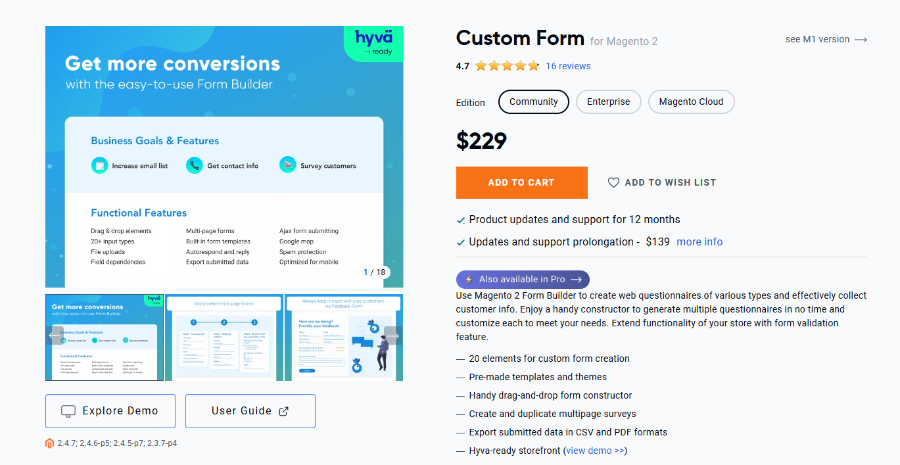
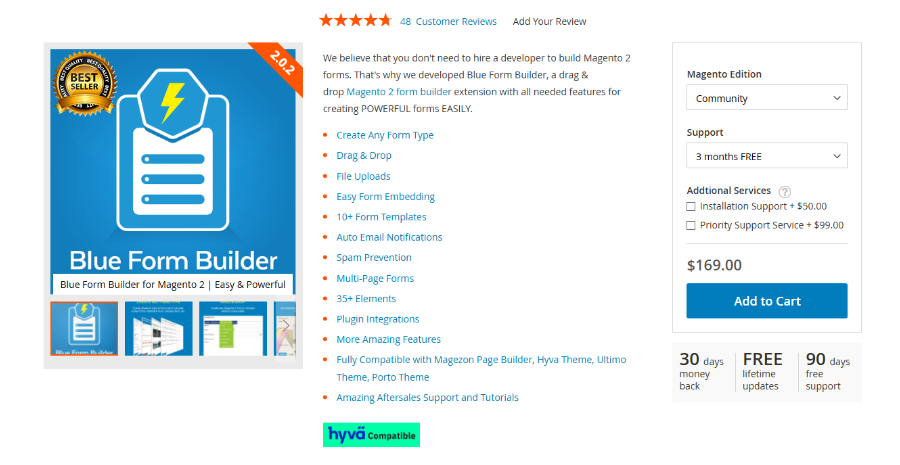
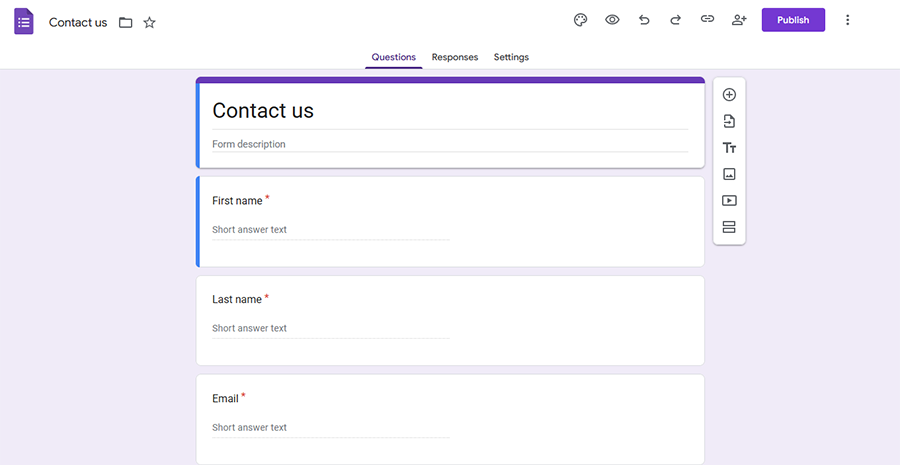
Main alternatives include free and paid options, each with different capabilities:

Feature WebForms Suite Free Alternatives Other Paid Options
GraphQL API Yes Native (6 endpoints) No None Partial Limited
Dynamic Grid Yes 5 column types No Not available No Not available
Conditional Logic Unlimited nesting (100+ rules) Basic (5-10 rules) Medium (20-30 rules)
CRM Integrations 8 native + Zapier (8000+ apps) None 1-2 integrations
Hyvä Support Yes Official module + CSP compliant No No Partial Community
Performance 95+ Lighthouse score 70-80 score 75-85 score
Price €189 one-time (all Suite components included) Free €99-299 one-time (limited features)

WebForms Suite unique advantages:

  • Only solution with native GraphQL + Dynamic Grid
  • Most comprehensive package: 8 CRM integrations + specialized modules (Customer Registration, Product Inquiry, Product Options Pro, Digital Signature, PDF Generation, Reference Numbers) all included
  • Best performance for complex forms (100+ rules vs. 5-30 competitors)
  • Official Hyvä support (vs. community hacks)
  • All previously separate add-ons now included at no additional cost

Bottom line: For basic contact forms, free alternatives suffice. For enterprise needs (B2B, CRM, headless, custom registration, product inquiries), WebForms Suite provides unmatched breadth of capabilities that would require multiple separate purchases from competitors.

WebForms Suite consolidates our entire product line into one comprehensive package. All previously separate add-ons are now included at no additional cost.

Core Form Builder:
  • 30+ field types including Dynamic Grid
  • Conditional logic with unlimited nesting
  • Multi-step forms with progress tracking
  • Native GraphQL + REST APIs
  • Hyvä Theme native module
Specialized Form Modules:
  • Customer Registration Forms - Multi-level approval workflows, group-based access control
  • Product Inquiry Forms - Context-aware inquiry buttons on catalog pages
  • Product Options Pro - Advanced custom product options (30 field types vs 10 native)
  • Digital Signature - Legally-binding signature capture with PDF integration
Utility Modules:
  • PDF Generation - Custom templates, automated email attachments
  • Reference Numbers - Unique alphanumeric identifiers for submissions
8 Native CRM Integrations:
  • Salesforce - Lead/contact/opportunity creation
  • HubSpot - Contact/company/ticket management
  • Zendesk - Support ticket automation
  • Klaviyo - Profile creation, event tracking, GDPR consent
  • Mailchimp - Contact management, tag assignment
  • Freshdesk - Ticket generation with agent assignment
  • Zoho CRM - Lead generation, Desk ticket creation
  • Zapier - Access to 8000+ additional platforms

Pricing: Community Edition €189 | Enterprise Edition €449 | All Suite components included | No hidden costs

Yes. WebForms Suite consolidates functionality that typically requires 6-10 separate extensions, with all components now included at no additional cost:

Extension Type Typical Cost WebForms Suite
Contact Form Extension €50-99 Yes Included
RFQ/Quote Request Extension €150-299 Yes Dynamic Grid feature
Customer Registration Extension €99-199 Yes Suite module included
Product Inquiry Extension €69-129 Yes Suite module included
Product Custom Options Extension €99-249 Yes Product Options Pro included
Digital Signature Extension €69-149 Yes Suite module included
PDF Generation Extension €59-129 Yes Suite utility included
Survey/Feedback Extension €79-149 Yes Included
Warranty Registration €99-179 Yes Included
CRM Integration (each) €49-99 × 8 Yes 8 integrations included
Total if purchased separately €922-1,770
WebForms Suite cost €189 Everything included - Save €733-1,581

Cost savings: €733-1,581 saved vs. buying all components separately

Time savings: Single installation, no compatibility testing, unified admin interface for all components

Real example: A B2B store needed RFQ forms, custom registration, product inquiries, and Salesforce integration. Purchasing separate extensions would cost €600-900+. With WebForms Suite at €189, they saved €411-711 while getting additional features they didn't initially plan for.

WebForms is designed for quick adoption with progressive complexity:

Time to productivity:
  • 15-30 minutes: Simple contact form (5-10 fields, basic validation)
    Prerequisites: Basic Magento admin knowledge
  • 1-2 hours: Form with conditional logic (20-30 fields, show/hide rules)
    Prerequisites: Understanding of form logic concepts
  • 3-4 hours: Complex multi-step form (50+ fields, multiple pages, Dynamic Grid)
    Prerequisites: Familiarity with WebForms interface
  • 6-8 hours: Enterprise B2B system (100+ fields, 50+ rules, API integration)
    Prerequisites: Advanced Magento knowledge + developer support
No coding required for:
  • Creating basic to complex forms
  • Adding all 30 field types
  • Setting up conditional logic
  • Configuring email notifications
  • Multi-step forms and GDPR settings
Developer needed for:
  • GraphQL API implementation
  • Custom field types
  • Theme-specific CSS adjustments
  • Custom validation rules (regex OK for non-developers)
  • CRM webhook customization
Learning resources:
  • Documentation: docs.mageme.com
  • Support: Email support for configuration questions

WebForms is transparent about current limitations. Here's what it cannot do (yet):

What WebForms cannot do:
Feature Limitation Workaround
Payment Processing No built-in payment forms Use Magento checkout or payment gateway
Native Mobile Apps Web-only, no iOS/Android SDKs Use GraphQL API for custom apps
Visual Form Builder No drag-and-drop WYSIWYG List-based builder (faster for power users)
Reported edge cases:
  • Forms with 200+ fields may slow form rendering
    Solution: Split into multi-page forms (50-100 fields/page recommended)
  • Some 3rd-party themes require CSS adjustments
    Solution: Support provides custom CSS within 24 hours
  • File uploads >100MB may timeout on shared hosting
    Solution: Increase PHP max_execution_time and upload_max_filesize
  • Conditional logic with 200+ rules may delay form render
    Solution: Optimize rules or split form (contact support for audit)
  • Email sending limits on shared hosting (1000+ submissions/day)
    Solution: Use SMTP service (Amazon SES, SendGrid)
Browser compatibility:

Fully supported: Chrome 90+, Firefox 88+, Safari 14+, Edge 90+, Mobile Safari iOS 14+, Chrome Mobile Android 10+

Not supported: Internet Explorer 11, iOS Safari <13, Android Browser <5, Opera Mini

Why we share limitations: Transparency builds trust. We'd rather you know upfront than discover after purchase. If your use case hits a limitation, contact us - we may have a workaround or add it to roadmap.

Performance data from production environments (tested Q4 2026):

Form load time comparison:
Scenario WebForms 3.5 Industry Average Improvement
Simple form (10 fields) 45ms 120ms 2.7x faster
Medium form (30 fields) 72ms 280ms 3.9x faster
Complex form (50+ fields) 98ms 450ms 4.6x faster
With 100+ logic rules 105ms 1200ms+ 11.4x faster
Multi-step (5 pages) 52ms/page 180ms/page 3.5x faster

Test environment: Magento 2.4.7, PHP 8.2, Luma theme, 2CPU/4GB RAM VPS, OPcache enabled

Google Lighthouse scores (Mobile):
  • Performance: 96
  • Accessibility: 100
  • Best Practices: 100
  • SEO: 100
Scalability metrics:
  • Maximum fields per form: 150+ tested (200+ possible with optimization)
  • Maximum conditional rules: 100+ rules with <120ms processing time
  • Maximum submissions/day: 10,000+ tested (limited by hosting, not extension)
  • Maximum file upload size: 2GB per file (PHP settings limited)
  • Database storage: ~5-15MB per 1000 submissions (varies by complexity)
Real customer data (Q4 2025):
  • 1,200+ active installations across Magento 2 stores
  • 30-40% faster form completion with customer data pre-fill
  • Average 95+ Lighthouse score with optimization enabled
  • 3-5x faster conditional logic processing vs. v2.x
  • 99.97% uptime across monitored production sites
Performance optimization tips:
  • Use AJAX submission to avoid full page reload (enabled by default)
  • For 100+ field forms, use multi-step to split load
  • Regular submission cleanup (automated GDPR deletion keeps DB lean)

Note: Actual performance varies by hosting environment, Magento configuration, and traffic. Benchmarks represent optimal conditions.

WebForms is specifically designed for enterprise Magento 2 stores requiring advanced capabilities beyond basic contact forms. Key differentiators for enterprise use:

  • Native GraphQL/REST APIs - Essential for headless implementations and custom integrations
  • 30 field types - Including advanced types like Dynamic Grid, WYSIWYG editor, Google Maps
  • Pre-built CRM integrations - Connect to Salesforce, HubSpot, Zendesk or 8000+ apps via Zapier
  • Advanced conditional logic - Unlimited nested rules for complex business workflows
  • Performance optimization - Handles forms with 100+ conditional rules efficiently
  • GDPR compliance tools - Built-in data retention and privacy features
  • Hyvä native support - Official compatibility module for high-performance frontend

For basic contact forms, simpler solutions may suffice. For complex B2B RFQs, multi-step applications, or forms requiring CRM integration, WebForms provides enterprise-grade capabilities.

WebForms provides a conventional form builder accessible from Magento admin panel:

  1. Navigate to Content → WebForms → Manage Forms
  2. Click Add New Form
  3. Use the builder to:
    • Add new field via dedicated button
    • Adjust the width and position settings for layout
    • Click any field in the list to configure (label, validation, default value)
    • Arrange fields in multi-column layouts
    • Add conditional logic with show/hide rules

No PHP, HTML, or CSS knowledge required for basic forms.

Yes, WebForms includes comprehensive multi-step form support:

Features:
  • Unlimited steps/pages - No artificial limits on form complexity
  • Conditional page visibility - Show/hide entire steps based on previous answers
  • Data persistence - Auto-save to localStorage (customer can return later)
  • Step-specific validation - Each page validates before proceeding
  • Custom navigation - Configure back/next button labels and behavior
Use cases:
  • Long registration forms (personal info → preferences → confirmation)
  • Complex surveys with logic branching
  • Job applications (resume → experience → references)
  • B2B RFQ forms (products → quantities → shipping details)

Performance: Optimized to handle 50+ steps without performance degradation.

WebForms offers native CRM integrations:

Available integrations:
  • Zapier - Integrate with 8000+ apps including CRM, Marketing, Messaging
  • Salesforce - Create leads, contacts, opportunities, cases
  • HubSpot - Sync contacts, companies, deals, tickets
  • Zendesk - Auto-create support tickets from form submissions
  • Zoho CRM - Generate leads and contacts
  • Mailchimp - Add subscribers to mailing lists
  • Klaviyo - Create profiles and trigger flows
  • Freshdesk - Create tickets in help desk
Each integration includes:
  • Field mapping (form fields → CRM fields)
  • Automatic and manual record export
  • Error handling and logging

Yes, WebForms includes a native Hyvä compatibility module.

Installation:
composer require mageme/module-webforms-3-hyva
bin/magento setup:upgrade
What's included:
  • AlpineJS reactive components
  • Tailwind CSS styling (no custom CSS needed)
  • Full feature parity with Luma theme
  • AJAX form submission
  • Conditional logic support
  • Multi-step forms with progress tracking
  • File upload with drag-and-drop
  • reCAPTCHA integration
  • CSP (Content Security Policy) compliant

Performance: Optimized for Hyvä's lightweight approach - forms load faster than on Luma.

Yes, WebForms includes enterprise-grade file upload capabilities:

Features:
  • Multiple file upload - Allow customers to upload many files at once
  • File type restrictions - Limit to PDF, images, documents, or custom file types
  • Size limits - Set per-field max file size (MB/GB)
  • Configurable image resizing - Compress large images on upload
  • Separate cleanup schedule - Independent file retention from form data
Security features:
  • File validation before storage
  • Secure download links
  • Admin-only file access
  • GDPR-compliant deletion
Integration:
  • Attach uploaded files to admin notification emails
  • Attach to customer confirmation emails
  • Include in PDF exports
  • Access files from admin submission view

Yes, WebForms includes advanced conditional logic with unlimited nesting:

Capabilities:
  • Show/hide fields based on previous answers
  • Multiple conditions per rule (AND/OR logic)
  • Unlimited nesting depth - Complex decision trees supported
  • Applies to any element:
    • Individual fields
    • Entire fieldsets (groups of fields)
    • HTML blocks
    • Multi-step pages (show/hide steps)
Performance:
  • Engine rewritten in v3.5 for 3-5x faster processing
  • Optimized for forms with 100+ conditional rules
  • No noticeable delay even on complex forms
Example use cases:
  • Show "Preferred call time" only when customer selects "Phone" as contact method
  • Display shipping address fields only when "Ship to different address" is checked
  • Show warranty extension options only for products over $500
  • Branch survey questions based on initial industry selection

Configuration: Visual interface in admin - no JavaScript required.

Yes, WebForms includes frontend submission display with advanced filtering:

Features:
  • Frontend widget - Place on any page via Page Builder or widget code
  • Approval control - Only display approved submissions
  • URL filtering (NEW in 3.5) - Filter by URL parameters:
    • ?category=electronics - Show only electronics testimonials
    • ?rating=5 - Show only 5-star reviews
    • ?location=europe - Geographic filtering
  • Customizable templates - Control HTML structure and styling
  • Pagination - Handle thousands of submissions efficiently
  • Sorting options - By date, rating, custom field values
Perfect for:
  • Customer testimonials on homepage
  • Product reviews on category pages
  • Case studies organized by industry
  • Contest entries with voting
  • Job postings with application count

Yes, WebForms includes comprehensive GDPR compliance tools:

Data collection:
  • Consent checkboxes - Required agreement before submission
  • Clear privacy policy links - Embed in forms via html blocks
  • Optional vs required fields - Minimize data collection
Data retention:
  • Automated cleanup schedules - Delete submissions after X days
  • Separate file cleanup - Independent retention for uploaded files
  • Per-form retention policies - Different schedules per form type
User rights:
  • Right to access - Admin can export customer's data (CSV/XML)
  • Right to deletion - Admin tools for complete data removal
  • Right to rectification - Allow customers to edit their submissions
  • Data portability - Export customer data in machine-readable format
Technical compliance:
  • WCAG 2.1 AA accessibility
  • Secure file storage with limited access links
  • hCaptcha as privacy-friendly CAPTCHA alternative

Note: WebForms provides the tools; you're responsible for configuring appropriate policies for your jurisdiction.

Yes, WebForms integrates seamlessly with Magento Page Builder:

Available blocks:
  • Form block - Embed any form on CMS pages
  • Button with popup form block - Embed any form as a clickable popup on CMS pages
  • Result block - Display form submissions (testimonials, reviews)
Features:
  • Drag-and-drop form placement in Page Builder
  • Configure form settings within Page Builder
  • Responsive column layout support
  • Compatible with all Page Builder features (rows, columns, tabs, etc.)
Example usage:
  1. Edit any CMS page in Page Builder
  2. Drag "WebForms Form" block from content panel
  3. Select form from dropdown
  4. Configure display options (show title, custom CSS classes)
  5. Preview form directly in Page Builder
  6. Publish page

Also works with: Static blocks, widget interface (for non-Page Builder pages), and direct PHP/XML layout insertion for developers.

PRICING

Choose your options.

€189.00

REVIEWS

64 reviews from real customers

Top forms module

It's a very versatile module that covers all your site's possible needs with forms—suggested!
Davide

Look No Further!

Not only does the developer offer excellent support but this is hands down the best solution available for creating powerful forms for your site, with little effort. It is one of the primary ways we get most all our front end customer communications done. Rock solid!
Michael

Simple yet powerful

Installation is easy, just a few command lines and we're ready to go.
The product is very simple and intuitive to use. It is powerful and yet easy to customize for you needs.

Last but not least, I had an issue with my license for which I had typed an incorrect domain name (my fault) - the developer answered my mail within 5 minutes and corrected the domain. Great support!
Arnaud

Great product

This is bar none the best forms solution for Magento available. The developer provides timely and excellent support when needed.
Mark

Awesome Forms, Flexibility and Support

The forms are absolutely beautiful!
The flexibility of the extension is awesome.
The conditional logic, array of field types and possibilities for customization is incredible.
Generation of a PDF is a requirement, and it's met by this extension!
Vladimir provides excellent support quickly, with both advice and answers.
tlw

Perfect

I used M1 extension about 7 years ago (at least) and it was already pretty cool but now this extension is absolutely fantastic.
So far I was able to implement complex forms fitting exactly my customer's needs without having to override or extend a single line of code which was unlikely at the beginning. Although a cool feature would be conditional logic on submit buttons (as you sometimes need a different submit text depending on what have been chosen before) but other than that this is perfect.
Guillaume

Write a Review

Write your own review:

CHANGE LOG

3.5.6
Apr 5 2026
  • New: added drag-and-drop sorting in admin field/fieldset grids.
  • Fix: clone gallery files on field duplicate.
  • Fix: datepicker position calculation.
  • Fix: XSS security hardening.
  • Fix: Breeze theme compatibility for form loaded event.
  • Fix: Product Inquiry popup display issues.
  • Change: code quality improvements for Marketplace compliance.
  • Change: move reCAPTCHA config migration from UpgradeData to webforms:migrate command.
  • Change: improve form v2 migration.
  • Other: fix PHPDoc for REST API schema.
3.5.4
Jan 19 2026
  • New: added support for reCAPTCHA Enterprise checkbox challenge.
  • New: added configuration switch for gallery files cleanup.
  • Fix: async form tooltip now works properly.
  • Fix: admin grid fixed for select fields with configured values/labels.
  • Fix: migration command setAreaCode error.
  • Fix: store view migration corrected.
  • Fix: dropzone validation now triggers scroll to error.
  • Fix: the unconfigured star rating doesn't throw an error anymore.
  • Other: database installation scripts replaced with db_schema.xml.
  • Other: add webforms_after_submit_success js event.
  • Other: store view result translation now applied to meta-information titles.
3.5.3
Nov 13 2025
  • Fix: add store awareness for graphql form information endpoint.
  • Fix: v2 improved data migration error handling.
  • Fix: dynamic grid backend result value edit now available.
  • Fix: removed unneeded jquery/ui dependency from backend.
3.5.2
Oct 19 2025
  • Fix: corrected before auth redirection for forms with limited access.
  • Fix: hide reviewUrl parameter when it's not needed.
3.5.1
Sep 23 2025
  • Fix: dynamic grid remove middle row bug.
  • Fix: Luma Theme async form load captcha not showing up.
3.5.0
Sep 17 2025
  • New: dynamic grid input type.
  • New: Hyva Themes based inline field validation.
  • New: "Allow URL Filter" in result widget parameter to filter results by field.
  • New: refactored captcha model for ability to easily add custom captcha types.
  • New: improved logic performance for extra large complex forms.
  • New: separate file cleanup settings on form edit page.
  • New: GraphQL can now use JWT tokens instead of session for captcha validation.
  • Fix: Cloudflare compatibility with slide-out icon.
  • Fix: admin reply-to email attribute now set correctly for all cases.
  • Fix: captcha localization now set properly for all captcha types.
  • Change: added general email header, footer and stylesheet to default result notification.
3.4.1
Apr 20 2025
  • Change Symphony email script detection mechanism.
3.4.0
Apr 14 2025
  • New: Magento 2.4.8 / PHP 8.4 compatibility.
  • New: reCAPTCHA Enterprise support.
  • New: gallery input field popup with search feature.
  • New: slide-out form can work with limited group access now.
  • New: phone auto-placeholder parameter.
  • Fix: admin grid fixed for extra large forms.
  • Fix: added crawler protection to review controller.
3.3.3
Jan 15 2025
  • Fix: corrected customer area style loading.
  • Fix: allowed only pending status edit configuration now works as expected.
  • Fix: result region field edit fixed in admin section.
  • Fix: grid layout in multistep form.
  • Fix: upload pub directory detection improved.
  • Fix: after submit script now works properly for forms with url redirect.
  • Fix: other stability improvements.
3.3.2
Oct 14 2024
  • New: added "Show Selected Values" to most of Select, Radio, Checkbox, Contact types.
  • Fix: form title now displayed in slide-out form.
3.3.1
Sep 26 2024
  • Fix: submission success text display.
  • Other: email input field attribute type set to email.
3.3.0
Sep 23 2024
  • New: form "User Experience Settings" (UX) configuration.
  • New: UX: form auto-save.
  • New: UX: form preview before submission.
  • New: upgraded modern slide-out form panel.
  • New: upgraded efficient tooltip script.
  • New: upgraded modern popup script.
  • New: upgraded WYSIWYG Editor field type script.
  • New: improved efficient star rating script.
  • New: swatch field automatic contrast color for text.
  • New: gallery and swatch field "Show Selected Values" parameter.
  • New: dynamic CSS loading (only use CSS which is required).
  • New: greatly optimized Lighthouse performance score.
  • New: rewritten Hyvä compatibility module.
  • New: rewritten Breeze compatibility module.
3.2.10
Jul 22 2024
  • Fix: gallery field type admin ui Magento 2.4.7 fix.
  • Fix: submission fix for certain synced multi-db setups.
  • Fix: logic script submission fix for specific rules configurations.
  • Fix: password input fix for encrypted password if the field is empty.
3.2.9
Apr 16 2024
  • Fix: {{val 0}} fixed for select type fields.
  • Fix: input mask arrow keys fixed.
  • Fix: null values fix for slide-out form.
  • Other: "convert newline characters" option replaced with automatic detection.
3.2.8
Mar 5 2024
  • Fix: logically affected fields now properly visible in the email (non synchronous sending).
  • Fix: improved reading of the store design settings in emails (synchronous sending).
  • Fix: file uploads now display actual file names in CSV and XML result export.
  • Fix: hidden fields are now displayed in the email notification by default.
  • Fix: multiple instances of the state field rendering issue fixed.
3.2.7
Feb 20 2024
  • Fix: logic JavaScript improved for better handling of multi-level tree like logic.
  • Fix: region field visibility fixed for forms with multi-level tree like logic.
  • Fix: frontend customer result edit fixed for forms with async load enabled.
3.2.6
Dec 26 2023
  • Fix: Asynchronous Sending notifications now have correct attachments.
  • Fix: enter key behavior change now limited to current form block only.
  • Fix: date of birth validation message fix.
  • Fix: contact field notification fix for selected contacts missing email address.
  • Fix: captcha error for multiple submissions for forms with enabled "Display Form After Submission".
  • Fix: incorrect file urls in email notifications.
  • Fix: getFieldByCode method now shouldn't through error.
  • Other: license activation warning logic improved for the frontend.
3.2.5
Dec 6 2023
  • New: Asynchronous Sending option in WebForms > Settings > Email page.
  • New: significantly optimized submission performance for large forms with extensive logic.
  • Fix: missing input values in email notifications for forms with extensive tree-like logic rule sets.
3.2.4
Nov 30 2023
  • Fix: missing elements in email when logic is tied to Select Contacts field.
  • Fix: scroll to top of the multistep form in the popup fixed for mobile devices.
  • Fix: admin ui filter fixes for logic listings components.
  • Fix: logically hidden data on result submission is cleaned better now.
  • Fix: logic price calculation for Product Options Add-on now correctly updates product price real-time.
  • Other: element IDs added to admin ui logic listing components.
3.2.3
Nov 16 2023
  • New: gallery input now has a configurable image preview on mouseover.
  • New: Manage Forms page now has the information block added about the recent plugin updates.
  • Fix: add logic button on gallery input field edit page is back again.
  • Fix: region field now shows proper error message if the region in result was deleted from database.
  • Fix: date of birth field now properly handles excessive whitespaces in customer input.
  • Fix: quick reply insert now properly passes required field validation on result reply page.
  • Other: gallery field styling improved and supports smaller elements with long labels.
  • Other: swatch input can now be declicked and deselected.
  • Other: jquery.cookie library removed from the package.
3.2.2
Sep 29 2023
  • New: result_id range added to REST API "filter".
  • Fix: statistics categories system value now works as intended on Manage Forms page.
  • Fix: missing customer name in reply templates fixed.
  • Fix: result reply page customer orders tab sorting fixed.
  • Fix: Select All mass actions now work for all results in the grid now.
  • Other: frontend file links replaced with text if there is no permission.
  • Other: webforms_before_submit JavaScript event added.
  • Change: Select Contact email address is not revealed in email content anymore.
3.2.1
Aug 14 2023
  • New: slide-out now supports multi-step forms.
  • New: REST API "filter" parameter added to search for specific data.
  • Fix: PHP 8.2 admin reply message html special chars encoding fix.
  • Fix: multistep template fix for multiple occurrences of the same form on the same page.
  • Fix: fix for result information block for forms with sophisticated logic.
  • Fix: upgrade script fix for databases with table prefixes.
3.2.0
Jun 27 2023
  • New: customer can now reply to submission from the account area, send new messages to admin.
  • New: configurable result statistics in admin area display amount of results per category (unread, replied etc).
  • Change: submit.phtml changed to allow mixin.
  • Change: automatic customer assignment now works only within current web-site.
  • Change: placeholder value now allowed on field validation.
  • Change: html block fields with required enabled are no longer validated.
  • Fix: classic file upload remove selected file fix in frontend.
  • Fix: result email mass action fixed in admin customer edit page WebForms tab.
3.1.2
May 9 2023
  • New: Html Block field now supports Page Builder editor.
  • Fix: logic behavior improved for "hide" rules.
  • Fix: logic improved for gallery type field.
  • Fix: data migration script fixed for deleted customer accounts.
3.1.1
Apr 12 2023
  • New: swatches input type.
  • New: date picker can now have the default value.
  • New: page_info variable added to email templates.
  • New: Magento 2.4.6 compatibility improvements.
  • Change: image (in image upload field) is not upscaled now if it has smaller dimensions than specified.
  • Change: multi-step form scrolls to form top on next step if form top is not visible.
3.1.0
Mar 19 2023
  • New: captcha script refactored.
  • New: Cloudflare Turnstile integration added.
  • New: hCaptcha integration added.
  • New: region field can now be linked directly to the fixed country.
  • Other: stability and compatibility improvements.
3.0.19
Mar 5 2023
  • Change: logic script refactored to resolve conflicts with great number of logic rules.
  • Change: dropzone script refactored to allow multiple usages of the same form on the page.
  • Change: added pager to customer order grid on results reply page.
  • Change: removed width controls enable/disable switches from form edit page.
  • Fix: form description can now be translated by csv file as well.
3.0.18
Feb 1 2023
  • New: unread counter speed optimisations.
  • Fix: newsletter subscription can be checked by default.
  • Fix: logic rules field visibility issues solved for specific form configurations.
  • Change: radio group email template variable now display db value.
  • Change: hidden can now store URL parameter.
  • Change: customVar, widget, block codes now work in hidden field values.
  • Change: datepicker field init script moved from layout to template.
3.0.17
Dec 13 2022
  • New: Google Map input field type.
  • New: admin notification sender name and email parameters.
  • New: improved custom variables support in success text.
  • New: custom variables support in form scripts.
  • New: text UPPERCASE/lowercase transformation on save.
  • New: reCAPTCHA now works with locale languages.
  • Fix: hashed symbols when using variable codes with pre-filled fields.
  • Fix: logic fix for disabled fieldsets.
  • Fix: access denied message for forms with limited access.
  • Fix: newline characters in form scripts.
3.0.16
Sep 20 2022
  • New: hide label option in the fieldset design tab.
  • Fix: date of birth field year rendering fixed for some locales.
  • Fix: admin forms now render select groups correctly.
3.0.15
Sep 8 2022
  • New: regex validation improved and now supports flags.
  • New: customer ip address column is now available in results grid.
  • Fix: multiselect grid columns now display all multi-selected values.
  • Other: minor fixes.
3.0.13
Aug 29 2022
  • Fix: date input is now formatted to store locale in emails.
  • Fix: date range validation without year specified fixed.
3.0.12
Aug 22 2022
  • New: Magento 2.4.5 compatibility.
  • New: phone number input type.
  • New: field mask input.
  • New: success text as a session message parameter on redirection.
  • New: manage quick responses admin ui improved.
  • New: year support added in disabled dates in date picker.
  • New: option to set which result statuses allow customer to edit it.
  • New: store view parameter added to result widget.
  • Improvement: date range is now additionally checked on PHP level.
  • Fix: field validation fixed for hidden fieldset.
3.0.11
Jul 4 2022
  • Fix: state/province fixed for customer registration approval.
  • Fix: approval notification fixed on customer edit page.
  • Other: WebForms position in Magento admin menu updated.
3.0.10
Jun 21 2022
  • Fix: Gallery image is now visible in the PDF export.
  • Fix: PHP 8 compatibility improvements.
  • Other: minor admin ui styling changes.
3.0.9
Jun 10 2022
  • Fix: Magento 2.4.4 / PHP 8.1 compatibility fixes.
3.0.8
May 17 2022
  • New: Hyvä Themes compatibility introduced.
  • New: option to switch data presentation for select fields in admin grid.
  • New: rating block refactored for result listing widget.
  • Fix: accessible datepicker visibility fixed.
  • Other: miscellaneous small code fixes.
3.0.7
Apr 20 2022
  • Fix: button with popup template compatibility fixed.
3.0.6
Apr 18 2022
  • New: Magento 2.4.4 / PHP 8.1 compatibility.
  • New: prefill cc or bcc of reply with admin email.
  • New: button with popup form widget improved.
  • New: right slide-out text orientation changed.x
  • Fix: double customer email notification fixed.
  • Fix: tooltip visibility in slide-out form fixed.
  • Fix: migration script fixed for db with prefix.
3.0.5
Mar 8 2022
  • Fix: impossible to delete customer with results fixed.
  • Fix: deleted website caused problems in results listing fixed.
  • Fix: compatibility with Swagger fixed.
  • Other: technical code improvements.
3.0.4
Feb 2 2022
  • New: Its now possible to turn off the WebForms admin toolbar.
  • Fix: plugin now works correctly in configurations with db table prefixes.
3.0.3
Jan 24 2022
  • Fix: result filter performance greatly improved for extra large forms.
  • Fix: all text and hidden field value variables from v2 are working now.
  • Fix: disabling Use Unique IDs is working as expected now.
  • Other: small fixes and general improvements.
3.0.2
Jan 11 2022
  • Fix: result widget image size is now set from widget parameters.
  • Fix: conditional logic fixed for Contact field type.
  • Other: improved admin ui compatibility with other 3rd party plugins.
  • Other: small fixes and improvements.
3.0.1
Dec 27 2021
  • New: GraphQL support added.
  • Fix: customer account Add/View/Edit permissions are now more strict.
  • Fix: reply-to email address was not set properly on some forms.
  • Fix: customer result editing is not affected by FPC anymore.
  • Fix: enabling Magento translations is now applied to almost all text parameters.
  • Other: miscellaneous small improvements.
3.0.0
Nov 27 2021

Frequently Asked Questions

verified_user How does your license work? expand_more

The license allows activation of the plugin within one production Magento instance with multiple store views.

The license can be freely deactivated and moved to another Magento instance if needed.

all_inclusive Is the extension lifetime usage or do I need to pay a subscription? expand_more

The plugin you purchase is for lifetime usage but the access to technical support and updates is limited to one year. If you need extension updates or technical support after a year, you will need to renew your license.

code Can I use the plugin in the development environment? expand_more

You can activate the purchased license in the development/staging environment and then move the license to the production environment by deactivating it in the admin panel and re-activating it in the new instance.

Please contact us if you require additional development licenses.

swap_horiz Can I transfer the license to my client's account? expand_more

Yes, you can do the license transfer from your account area My Licenses page.

build Do you offer customization services? expand_more

Yes! We offer custom development and module customization services. Whether you need modifications to our extensions, custom integrations, or entirely new functionality — our team can help. Visit our Custom Development page or contact us to discuss your project.

tune Am I able to customize your extensions? expand_more

Yes, you can customize our plugins to your needs. All our plugins come in 100% open code.

upgrade Is it possible to upgrade from Open Source (Community) to Adobe Commerce (Enterprise / Cloud)? expand_more

Yes, you can upgrade your license from Open Source to Adobe Commerce by paying the price difference. Please contact us for details.

check_circle Are your extensions compatible with Hyvä? expand_more

Yes, all our extensions are fully compatible with Hyvä and CSP out of the box.

update What happens after the free support period has ended? expand_more

You won't have access to product updates after the support period has ended and we won't be able to provide you with technical support.

You can extend your support period by paying the discounted product price.

replay What if the plugin doesn't work for me? expand_more

You can request a refund within 30 days after the initial purchase. Please find more details on our Refund Policy page.